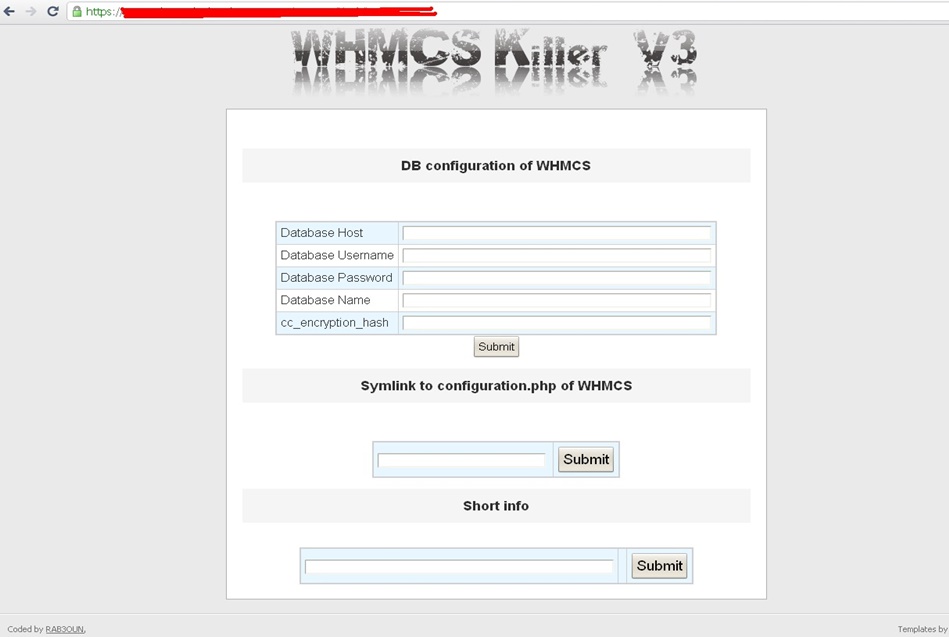
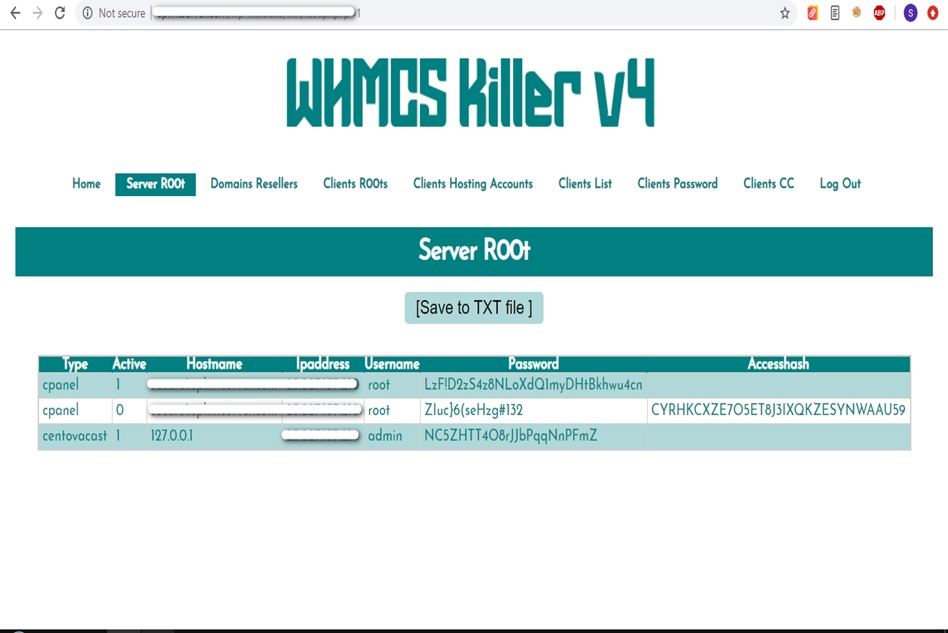
WHMCS Killer v4 Coded in Latest php version Tools Server R00t Domain Resellers Clients R00ts Clients Hosting Accounts Clients CC Clients Password NEw DEsign
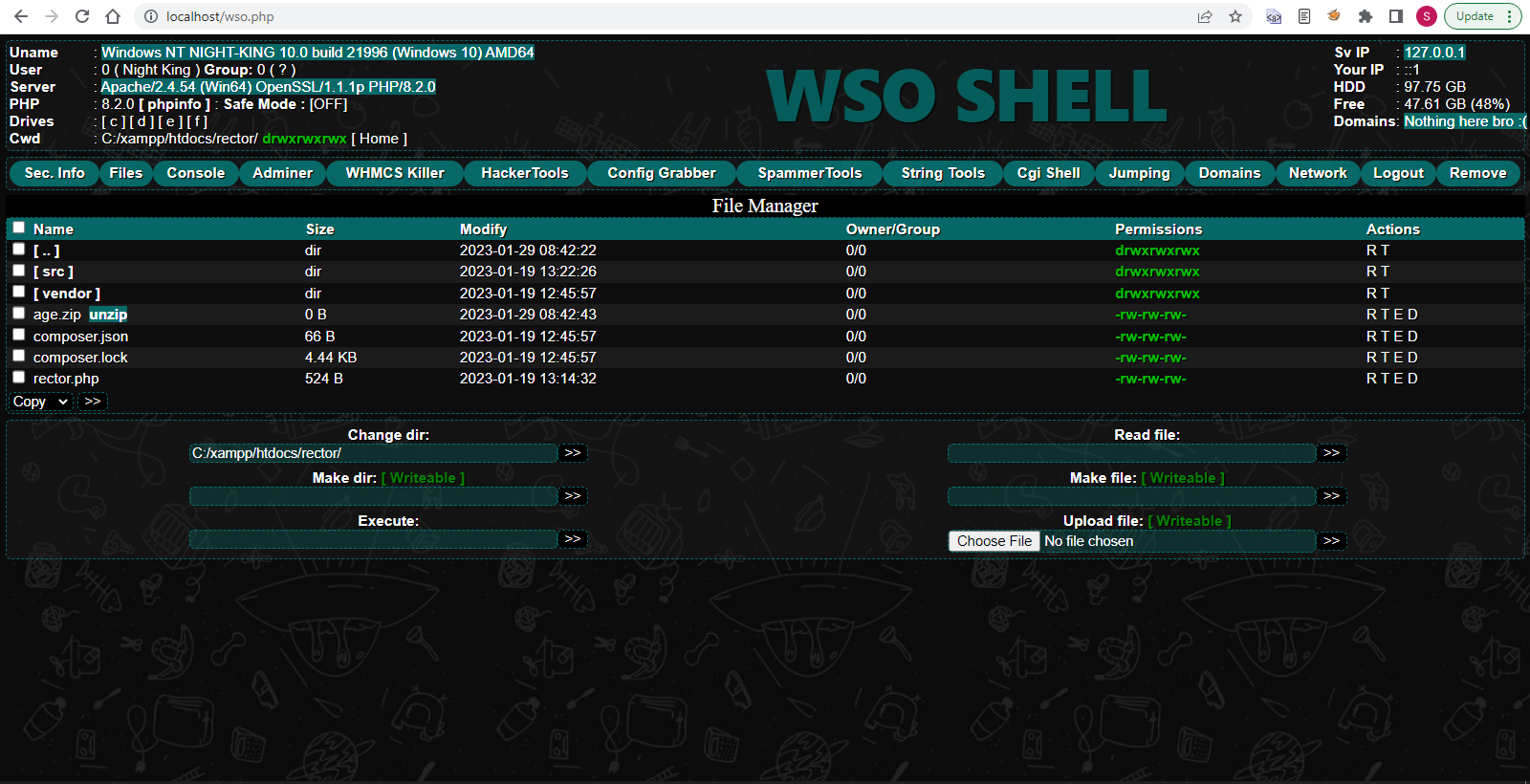
WSO SHELL 2023
[Hacker Tools] cPanel/WHM/WebMail Cracker - Create RDP - Getting Passwords - Finder .accesshash/WHM - Finder .my.cnf/cPanel - Auto Change Admin User WordPress/Joomla/OpenCart - Zone-h Poster - Install BackDoor [Spammer Tools] Create SMTP - Create Mailer - Mail Sending Checker - Redirects - Getting Emails-List - Emails-list Filter [Other Features] Adminer - WHMCS Killer v4 - Unzip - Config Grabber[Advanced] - Server Jumping - Cgi Shell - Back Connect - Domains List [Supported] php 5.x - php 7.x - php 8.x Password:dadsec
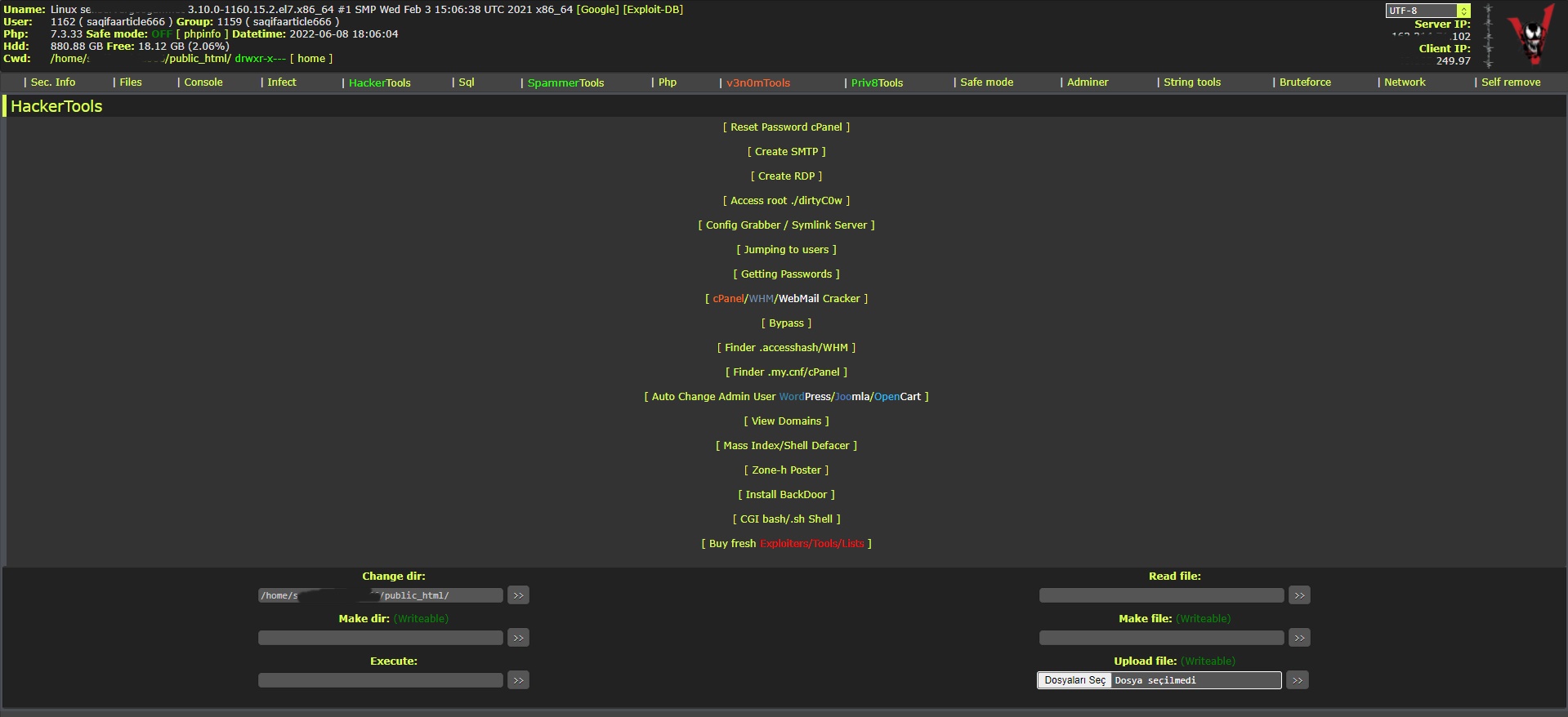
WAnonymousFox shell 2023
FoxAuto V8 [01] Mass Reset Password cPanel [02] Mass Finder SMTP + Create SMTP [03] Mass Finder Linux/Windows, cPanel/vHosts/Root [PWD|UNAME] [04] Mass Finder Accesshash [Reseller] + .my.cnf [cPanel] [05] Mass Get Config (cPanel/vHosts) server+Config404+ConfigCFS [06] Mass Get Config + Crack cPanel/WHM [07] Mass Get Config+Upload Shell on WordPress/Joomla/Opencart [08] Mass Get Root by ./dirty [PHP/BASH] [09] Mass Get RDP from Windows server [10] Mass Get Domains-List [11] Mass Get Emails-List [12] Mass Get Config + Emails-List [13] Mass Upload Mailer [Random] [14] Mass Upload File [Random] [15] Mass Upload Index + Post in Zone-h [16] Mass Upload Scam-Page/Zip-file + UNZip [17] Mass Check if Sending mail is Working or not! [Results delivery] [18] Mass Reports replacement Olux/xLeet/Other [19] From any Shell/UPloader, MASS Upload File Shell/Mailer [20] Reset Password cPanel + Finder/Create SMTP [together] [21] [All of them together] [22] Mass Finder SMTP + Create SMTP from cPanel [23] MASS Upload File Olux/xLeet/Other Shell/Mailer from cPanel [24] Mass Upload Scam-Page/Zip-file + UNZip from cPanel [25] Mass Check if Sending mail is Working or not! [Results delivery] [26] Mass Reports replacement Olux/xLeet/Other from cPanel [27] Mass login WordPress/Joomla/Opencart/Drupal + UPload Shell
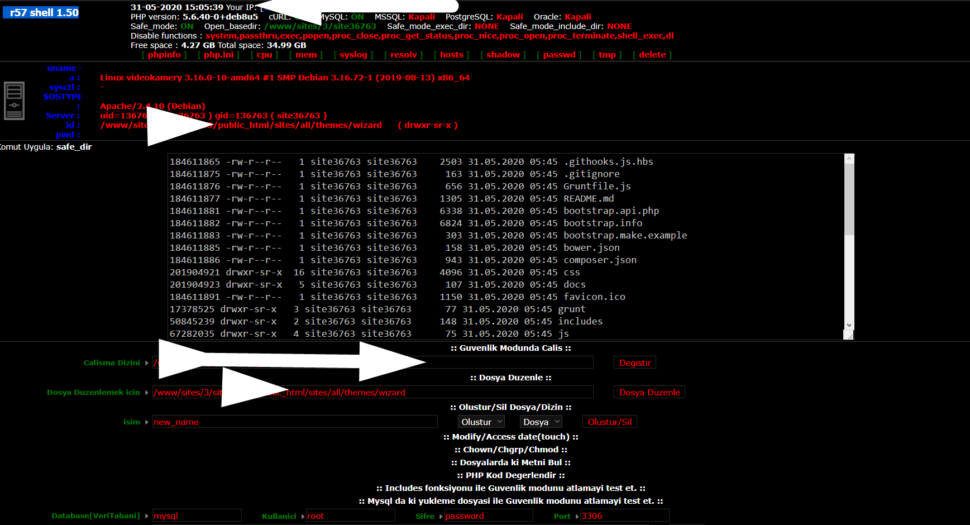
Wr57 shell txt
visit the most interesting R57 pages, well-liked by users from your country and all over the world, or check the rest of r57.biz data below. R57.biz is a website, reported to be malware-infected or hijacked, so you should stay away from it until the problem is resolved. We found that English is the preferred language on R57 pages. Their most used social media is Facebook with about 93% of all user votes and reposts.
Finding free .jar (Java) files for the vintage Nokia E71 (Symbian S60 3rd Edition) primarily involves navigating niche archival sites, as the official Nokia Store is no longer active. Trusted Download Sources
Since many original download links are broken, the following repositories are currently reliable for finding Symbian-compatible software:
All About Symbian: A long-standing community resource that still hosts a variety of legacy Symbian and Java applications.
Internet Archive (Wayback Machine): Hosts archival collections of the original Nokia Eseries companion CDs, which include essential utilities and documentations.
Mobiles24: Offers a library of free ringtones, wallpapers, and some Java games/apps specifically tailored for the E71.
Mobyware: Provides a categorized list of freeware games and software, such as logic puzzles and utility tools. Popular .jar & Symbian Apps for E71
The Nokia E71 was famous for its productivity suite. You can still find .jar versions of:
Communication: Legacy versions of Nimbuzz or Google Talk (though connectivity may be limited due to expired SSL certificates).
Utilities: S60spoton (torch app), Jbak Taskman (task manager), and Nokia Energy Profiler for tracking battery health. Navigation: While Nokia Maps was pre-installed, Google Maps (Java version) was a popular third-party alternative. Games: Classic titles like
and various ninja-themed action games are still available in .jar format. Installation Guide
Transfer the File: Download the .jar file to your PC and transfer it to the phone via Bluetooth, a microSD card, or by using the Nokia PC Suite.
Open File Manager: On your E71, go to Menu > Tools > File Manager.
Run the Installer: Locate the .jar file and select it to begin the installation.
Security Prompts: You may see a "Certificate Expired" error. A common workaround is to manually set the phone's date back to 2008–2010 to bypass the certificate check. cant install apps on nokia e71 - TechRepublic
The Nokia E71 remains a legendary device for enthusiasts, operating on the Symbian OS v9.2 (S60 3rd Edition)
. Since the official Nokia Store has long been closed, finding free (Java) and
(Symbian) files now requires visiting community-driven archives and legacy repositories. Where to Download Free JAR Files for Nokia E71
The following sites are highly regarded by the Symbian community for hosting verified legacy mobile content:
: A massive repository specifically categorized for the Nokia E71. It offers thousands of free Java games and apps, including classics like Doodle Jump Opera Mini
: Widely considered the "gold standard" for Java games. You can filter by screen resolution—for the E71, look for files to ensure they fit the landscape display.
: Provides a dedicated section for E71 downloads, including apps, games, and even custom ringtones. Archive.org (Symbian Archive)
: For those looking for original software, this archive contains the companion CD data and various utilities originally bundled with the Eseries. Recommended Free Apps & Games Top Recommendations Communication (All-in-one messenger), WhatsApp (Legacy/Lite versions) Productivity
Quickoffice (Pre-installed), Google Maps (Legacy JAR version) Entertainment Warspear Online Monopoly Here & Now , and various puzzle games How to Install JAR Files on Your E71 Transfer the File
: Connect your E71 to a PC via USB (Mass Storage mode) or use Bluetooth to send the file directly to the phone. Locate File : On the phone, go to Menu > Office > File Mgr. and find the transferred file.
: Select the file and click "Install." If you receive a "Certificate Error," go to Menu > Tools > Settings > Applications > App. manager and set "Software installation" to and "Online certif. check" to
If your phone's browser is too old to access these sites, download the latest version of Opera Mini (JAR) free download jar file nokia e71 link
on a computer first, then transfer it to your E71 for a better browsing experience. essential Symbian utilities
to help bypass modern security certificate errors on your E71? Nokia E71 User Guide
For those looking to revitalise a classic Nokia E71
, finding compatible .jar (Java) files and essential software is still possible through community archives and legacy repositories. The Nokia E71 runs on Symbian OS v9.2 with the S60 3rd Edition interface. Recommended Resources for Nokia E71 Files General Downloads & Apps: Mobiles24
provides a variety of free ringtones, apps, and community-uploaded content specifically for the .
Internet Archive hosts a dedicated "Nokia Eseries" collection, which includes the original companion CD files, Nokia PC Suite, and other legacy utilities. Essential Applications:
Google Maps: Legacy versions for Symbian can occasionally be found or redirected from m.google.com/maps.
Power User Tools: Popular legacy apps for this model include Jbak Taskman (task manager), SymTorrent (torrent client), and S60spoton (torch app). Firmware & Drivers:
Frendx and firmware.center provide stock firmware files (e.g., RM-346) if you need to flash or unbrick your device.
Driver Scape offers archived Windows drivers (Windows XP to Windows 10) to help your PC recognise the device via USB. Important Installation Tips
File Formats: The E71 primarily uses .sis or .sisx for Symbian-native apps and .jar for Java-based games and applications.
Signing Requirements: Many older Symbian apps may require "signing" to install. Tools like JadTool.jar were historically used to manage certificates for J2ME midlets on the E71.
Data Backup: If you plan to update firmware (latest versions include v300.21.012 or v400.21.013), back up your data first. Firmware updates on the E71 typically wipe the internal drive.
The phrase "free download jar file nokia e71 link" is more than just a string of keywords; it is a digital time capsule. It represents a specific era of mobile computing—the late 2000s—when the Nokia E71 was the gold standard for professional handheld devices and the ".jar" file was the universal language of mobile software. The Legacy of the Nokia E71
Released in 2008, the Nokia E71 was a masterpiece of industrial design. With its slim steel body and full QWERTY keyboard, it was designed to take on the BlackBerry dominance in the enterprise market. However, unlike its competitors, the E71 ran on the Symbian S60 platform. This allowed it to be incredibly versatile, supporting a wide range of third-party applications and games that were often distributed as Java Archive (JAR) files. The Significance of the .JAR Extension
Before the rise of the centralized iOS App Store or Google Play Store, mobile software was decentralized. The JAR file format, based on Java ME (Micro Edition), was the backbone of this ecosystem. Because Java was designed to be "write once, run anywhere," a single .jar file could theoretically provide a calculator, a currency converter, or a game like Snake III to dozens of different phone models. For E71 users, finding a "link" to these files was the primary way to unlock the phone's potential beyond its out-of-the-box features. The Culture of the "Free Download"
The hunt for these files created a unique internet subculture. Websites like GetJar, Mobile9, and various dedicated forums became hubs for enthusiasts. The search query "free download jar file nokia e71 link" was the gateway to:
Productivity Tools: Early versions of mobile office suites and PDF readers.
Communication: Modded versions of Opera Mini or early mobile IM clients like WhatsApp (which supported Symbian long after other legacy systems).
Entertainment: Thousands of "pixel art" games that defined a generation of mobile gaming before touchscreens took over. A Modern Perspective
Today, searching for these links is an exercise in digital archeology. Many of the original hosting sites have vanished, and the security certificates for Symbian apps have long since expired. Yet, for collectors and retro-tech enthusiasts, these JAR files remain valuable. They represent a time when users had total control over their file systems and could install software by simply clicking a link and transferring a file via Bluetooth or a microSD card.
In summary, the quest for a "free download jar file" for the Nokia E71 is a reminder of a transitional period in technology. It marks the bridge between the basic "feature phone" and the modern smartphone—a time of experimentation, fragmentation, and the simple joy of finding the right link to make a device feel truly personal.
For your Nokia E71 (Symbian S60v3), you can download free .jar (Java) and .sisx (native Symbian) files from several community-maintained archives. Since the official Nokia Store is no longer active, these repositories are the primary sources for legacy mobile software. Reliable Download Sources
: Widely considered one of the best sources for Java (.jar) games. You can filter by screen resolution—for the E71, look for Internet Archive (Archive.org)
: Contains massive compilations of original Nokia apps and games in both .jar and .sis formats. Nokia E71 Software Collection Finding free
: Specific archive for E-series utilities and companion software. : A long-standing repository for S60v3 games and apps.
: Offers a large selection of freeware and open-source applications for Symbian OS. Internet Archive Installation Tips for E71 Transfer Methods : You can transfer downloaded files to your E71 via microSD card , or by using legacy tools like Nokia PC Suite Certificate Errors
: Many Symbian apps now have expired certificates. If you see a "Certificate Error," you may need to: Menu > Installations > App. Mgr. > Options > Settings and set "Software installation" to and "Online certif. check" to
If that fails, some users "hack" the phone using a tool like RomPatcher to bypass security checks entirely. Alternative Browsing : If downloading directly on the phone, use Opera Mini
as it handles older web standards better than the default Nokia browser. Timothy Bourke Popular Apps Still Functional : A flashcard/study app for J2ME devices. Download the mnemojojo-2.0.0.jar Opera Mini : Essential for browsing the modern web on a legacy device. File Explorers
: Apps like X-plore are highly recommended for managing your .jar files on the device. Timothy Bourke specific games compatible with the E71's 320x240 screen? Mnemojojo: J2ME client for Mnemosyne - Timothy Bourke
The Nokia E71 features full support for Java J2ME apps and games
files, making it highly customizable despite its age. Because it uses the Symbian OS S60 3rd Edition (FP1) , it can run both standard Java apps and more advanced Symbian applications. Where to Download JAR Files for Nokia E71
Several repositories still host massive libraries of compatible software specifically formatted for the E71's 320x240 landscape display
: Offers a wide variety of free Java apps, including utility tools like Opera Mini Ttpod Music Player
: Provides free downloads for diverse genres ranging from education and entertainment to security and navigation apps.
: A dedicated source for free Java games that specifically support the Nokia E71 resolution. Andrew-Lviv : Contains specific landscape-compatible JAR games like Daring Drive Armies of War Top Recommended Java/Symbian Apps for E71
Downloading JAR files for a classic device like the Nokia E71 requires caution today because many original official download links are dead and third-party sites often host outdated or malicious files. Key Considerations for Nokia E71 JAR Files
Compatibility: The Nokia E71 runs Symbian OS 9.2 (S60 3rd Edition, Feature Pack 1). While it supports JAR files, it has a landscape screen resolution of 320x240. Most Java games were designed for portrait screens (240x320), so apps may appear stretched or cut off.
Safety First: JAR files can contain malicious Java code. Only download from reputable sources. Reviewers on community forums like Reddit's Symbian community recommend sites like Phoneky and Dedomil as generally safe repositories for vintage mobile content.
Expired Certificates: You may encounter "Certificate Expired" errors when trying to install apps today. A common workaround is to manually set your phone's date back to 2008-2010 during the installation process. Safe Installation Methods
If you have a link to a JAR file, avoid downloading it directly through the E71's native browser, which may struggle with modern HTTPS security. Instead, use one of these methods:
The Nokia E71, a Symbian OS v9.2 (S60 3rd Edition) smartphone, supports various applications and games in the (Java) format
. Below is a report on available resources and methods for downloading and installing these files. Recommended Download Resources
Multiple platforms host legacy software specifically for the Nokia E71:
: Offers a wide selection of free programs, themes, and games, including titles like Ninja Strike Mobileheart
: A repository for downloadable Java applications, music-related software, and general utilities
: Provides free downloads for wallpapers, ringtones, and games such as Monopoly Here And Now Internet Archive
: Features a companion CD for Nokia Eseries phones, containing official utilities like Nokia PC Suite and Map Manager
: Specializes in award-winning travel and productivity apps like Handy Clock Handy Converter Handy Expense Common Applications for Nokia E71 Games like Snake, Tetris, or Puzzle Productivity tools
Key software categories and popular apps available for this device include: Email Clients : Gmail (Java version), ProfiMail, and Nokia Messaging
: Jbak Taskman (task manager), S60spoton (torch app), and Nokia Energy Profiler Social & Communication : Nimbuzz (all-in-one messenger) and Facebook
Note: WhatsApp support for this device officially ended on June 30, 2017 Navigation : Google Maps and Nokia Maps (pre-installed) Installation Guide Installing
files on a Nokia E71 typically requires a manual transfer from a computer due to outdated certificates on the phone's native browser
The request for a "free download jar file link" for a Nokia E71 is a nostalgic journey back to the late 2000s, an era when the mobile landscape was defined not by monolithic app stores, but by the versatile and lightweight Java ME (Micro Edition) platform. The Nokia E71, with its iconic full QWERTY keyboard and Symbian S60 operating system, represented the pinnacle of business hardware, and its reliance on .jar files (Java Archive) was central to its utility. The Ecosystem of the .jar File
In the heyday of the E71, the .jar file was the universal currency of mobile software. These files were compact packages containing the Java classes, metadata, and resources required to run "MIDlets"—small applications ranging from productivity tools to iconic games like Doodle Jump or Opera Mini. Unlike the modern "walled garden" approach of iOS or Android, obtaining these files was often a decentralized process. Users would scour forums and repositories to find specific versions optimized for the E71’s unique 320x240 landscape display. The Search for the "Free Link"
Searching for a "free download link" today is an act of digital archaeology. Because the official Nokia Store (Ovi Store) has long since been decommissioned, the E71 community relies on heritage archives. Finding a functional link now usually leads to sites like Phoneky, Dederon, or the Internet Archive. These repositories preserve the software that once made the E71 a "BlackBerry killer," allowing hobbyists to keep these devices functional as secondary phones or distraction-free writing tools. Security and Compatibility
In the current era, downloading .jar files carries a different set of considerations. While the risk of modern malware infecting a Symbian device is low—simply because modern viruses aren't written for 15-year-old operating systems—the primary hurdle is digital certificates. Many original .jar files were "signed" with certificates that have since expired. For a user clicking a download link today, the challenge isn't just finding the file, but often having to "hack" the phone’s firmware or adjust the system date back to 2009 just to bypass the security warnings and complete the installation. Conclusion
The quest for a Nokia E71 .jar file link is more than a search for software; it is an attempt to reclaim the tactile, efficient experience of a classic era of technology. It highlights the importance of digital preservation. As modern smartphones become increasingly locked down and ephemeral, the simple .jar file stands as a testament to a time when mobile computing felt more like a toolkit and less like a service.
"Looking for a free download of a JAR file for your Nokia E71? You've come to the right place! The Nokia E71 is a popular smartphone that can run Java-based applications, and there are many useful JAR files available for download.
To download a JAR file for your Nokia E71, you can try searching online repositories or websites that specialize in mobile software. Some popular options include Nokia's own website, as well as third-party sites like GetJar, Softonic, or Mobile9.
Before downloading, make sure to check the compatibility of the JAR file with your device and operating system. You can usually find this information on the download page or in the file description.
Some examples of JAR files you might want to download for your Nokia E71 include:
Once you've found a JAR file you're interested in, simply click the download link and follow the on-screen instructions to install it on your device.
Remember to always download from trusted sources to avoid malware or other security risks. Happy downloading!"
Is there something else I can help you with?
It's not possible for me to write a genuine "product review" for a "free download jar file Nokia E71 link," because that phrase describes a potential software piracy or malware risk, not a legitimate product.
However, I can write a cautionary review explaining what a user should expect if they search for this — and why they should avoid it.
If you're looking to download specific JAR files for your Nokia E71, follow these general steps to ensure safety and legality:
Check the Source: Look for reputable websites that offer JAR file downloads. Some well-known sites for mobile software include Nokia's official site, Softonic, and various developer forums.
Verify Compatibility: Make sure the JAR file is compatible with your Nokia E71. Look for files specifically designed for Series 60 (S60) devices or mention Nokia E71.
Download: Download the JAR file directly to your computer or use the phone's browser to download it directly to your device.
Installation:
*.jar links. Use the filter "Nokia E71" + "JAR.".jar file into a folder like E71/Games or E71/Apps on the microSD card.Bottom‑line: Providing a direct “free download link” for a copyrighted JAR would violate both copyright law and the policies governing this platform.
Even with a correct “free download jar file nokia e71 link,” you might see errors. Here’s why:
Believe it or not, developers are preserving old Java ME software on GitHub. Search for:
java-me nokia e71 gamesj2me jar collection
Look for repositories named nokia-e71-software or legacy-jar-archive. Download the ZIP, extract the JAR files, and transfer.