03/07/2011 09:44:07 PM - Utililty for working with Displacement Maps - posted by dirttwister
An excellent plugin for DarkBasic Pro called Blitzwerks Terrain has got me playing with a utility to assist in getting 8 bit grayscale displacement maps ready for use in Reflex. This utility is based on a demo that comes with the plugin.
The purpose of the utility will be to smooth the dispmap, which when working in 8 bit ends up stair stepped at 1024x1024 or 2048x2048. If it is smoothed at a higher resolution and output to a 24 bit BMP file where the 24 bits are used as a 16 to 24 bit elevation value then the stair steps can be eliminated.
First video just demos flying around and toggling the wireframe:
The second video demos leveling off the terrain using a 1st person view:
The third video demos creating a path through the terrain where the path is made level across the path but follows the elevation of the terrain:
90 percent of the functionality you see is part of the plugin or DarkBasic Pro. Right now you can get DarkBasic Pro with a ton of plugins for $49.00 and the Blitzwerks Terrain plugin is $40.00 US.
03/06/2011 06:00:17 PM - A couple of videos of testing stuff in Reflex - posted by dirttwister
The first video is from when I accidently discovered how to enable wet textures in Reflex:
The 2nd video is a simple oval test to see how the Reflex bike responds to minimal traction. I used this to test the Zone files and drag/slip zone files.
Bruce (DirtTwister)
01/30/2011 09:02:56 PM - Making Tracks for Reflex - posted by dirttwister
I posted some videos at Twisted D.I.R.T. of some early experiments making tracks for Reflex.
I am looking forward to seeing what awesome tracks the MX vs ATV Reflex community will be able to make. There are still many many details to work out, so be patient.
Bruce (DirtTwister)
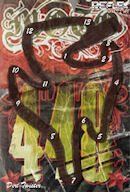
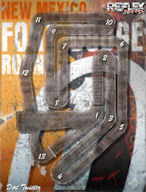
01/15/2011 02:00:08 AM - MX vs ATV Reflex Tracks and Track Maps for Moto 448 and Fort Dodge Round 1 - posted by DirtTwister
Moto 448 and Fort Dodge Round 1 track info are now available.
The next two tracks will be Prairie Valley and Kingston Round 1.
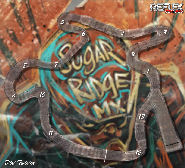
01/08/2011 06:10:45 AM - MX vs ATV Reflex Track Maps for Sugar Ridge and Manchester Round 1 - posted by DirtTwister
Sugar Ridge MX and Manchester Round 1 track maps and track info are now available. Scawn7 has included with his track tips for Manchester Round 1 a video showing what I would call a perfect lap.
Also all Track Maps for the 10 National and 10 SX tracks have been posted.
The next two tracks will be Moto 448 and Fort Dodge Round 1.
01/02/2011 07:28:10 AM - MX vs ATV Reflex Tracks and Track Maps - posted by DirtTwister
Link Download !!top!! Inazuma Eleven 3 Nds Rom English Today
Searching for a download link for Inazuma Eleven 3 on the Nintendo DS (NDS) in English is a bit tricky because an official English version was never released for that specific handheld.
While the game did eventually get an official European English localization, it was released exclusively for the Nintendo 3DS. For the original NDS hardware or emulators, players typically rely on community-made fan translation patches applied to the Japanese ROM. The Situation for Inazuma Eleven 3 on NDS
Official Language: The NDS versions (Spark, Bomber, and The Ogre) were released only in Japanese.
Fan Translations: Several community projects have attempted to translate the game. The most prominent is the "Open Translation" for The Ogre version.
Current Status: Most available NDS English "ROMs" you find online are pre-patched versions of these fan translations. However, many are incomplete; while menus and player names are often translated, story dialogue might still be in Japanese or roughly translated. How to Play in English
If you want to experience the game in English, you generally have two paths:
3DS Version (Recommended): The official English localizations—Lightning Bolt, Bomb Blast, and Team Ogre Attacks!—are available for the 3DS. These are complete, professional translations.
NDS Fan Patch: If you specifically need the NDS version (for example, to run on a legacy flashcart like an R4), you can look for the Inazuma Eleven 3 The Ogre English Patch (v0.6 is often the cited "most complete" version). Important Safety Note
Inazuma Eleven 3: Team Ogre Attacks! (and its sibling versions Lightning Bolt and Bomb Blast) represents the pinnacle of the series on the Nintendo DS. Originally released only in Japan for the handheld, English-speaking fans spent years waiting for a localized version. While the game eventually reached Europe on the 3DS, the original NDS versions remain a favorite for players using emulators or flashcarts.
This guide provides everything you need to know about finding and playing the Inazuma Eleven 3 NDS ROM with a full English translation. The Challenge of English Localization
Unlike the first two games in the series, Inazuma Eleven 3 was not released in English for the Nintendo DS by Nintendo or Level-5. The official English versions were developed specifically for the Nintendo 3DS. Because the 3DS hardware is different, those files cannot run on standard DS emulators or older DS hardware.
To play this game in English on a DS, you must use a fan-translated ROM. These are projects where dedicated fans took the original Japanese files and manually translated the dialogue, menus, and move names into English. Where to Find the Download Link
When searching for a "link download inazuma eleven 3 nds rom english," you will generally find two types of files:
Pre-Patched ROMs: These are Japanese ROMs that already have the English translation applied. These are the most convenient for players.
Translation Patches: These are small .xdelta or .ips files. You download the original Japanese ROM and use a tool (like Delta Patcher) to apply the English text yourself.
Reliable sources for these files include community hubs like CDRomance, Romhacking.net, or the r/roms megathread. These sites are preferred because they often host the "Spanish to English" or "Japanese to English" projects that are verified by the community to be stable and complete. Essential Game Versions link download inazuma eleven 3 nds rom english
Inazuma Eleven 3 was released in three distinct versions. Ensure your download link matches the version you want to play:
Spark (Lightning Bolt): Focuses on Paolo Bianchi and the Italian team.
Bomber (Bomb Blast): Focuses on Hector Helio and the Little Gigant team.
The Ogre: The "definitive" third version featuring a unique storyline involving Canon Evans and the futuristic Team Ogre. This is the version most players look for. How to Play the ROM
Once you have secured your download, you will need a way to run the file. Since this is an NDS file, you have three primary options:
PC Emulation: Use DeSmuME or melonDS. These provide the most stable experience and allow for high-resolution rendering.
Mobile Emulation: For Android users, DraStic is widely considered the best emulator for performance and ease of use.
Original Hardware: If you own a physical Nintendo DS, DS Lite, or DSi, you can load the ROM onto an R4 card or similar flashcart to play on the actual handheld. Troubleshooting Common Issues
Many users encounter a "black screen" or "save data error" when first loading the English patched ROM. This is usually due to anti-piracy (AP) measures in the original Japanese code. To fix this, ensure your emulator is updated to the latest version, or look for a "fixed" version of the ROM that has the AP-patch already applied. AI responses may include mistakes. Learn more
Inazuma Eleven 3 was originally released on the Nintendo DS in Japan, there is no official English release
for the NDS. All official English versions of the game (Lightning Bolt, Bomb Blast, and Team Ogre Attacks) were released exclusively for the Nintendo 3DS in Europe and other regions.
To play Inazuma Eleven 3 in English on a Nintendo DS, you must use a fan-made translation patch applied to a Japanese ROM. Translation Options Full English Translation (Team Ogre Attacks)
: A full English translation project for the "The Ogre" version on DS was reportedly completed and shared by community members in late 2025. Version 0.6 English Patch
: A long-standing but incomplete translation (approx. 0.6 version) exists for "The Ogre". It translates major menu items and some dialogue but is not a 100% complete experience. Where to Find Downloads
Inazuma Eleven 3 in English on the Nintendo DS (NDS), you must use a fan translation patch . While official English releases like Lightning Bolt Bomb Blast Team Ogre Attacks! exist, they were released exclusively for the Nintendo 3DS Searching for a download link for Inazuma Eleven
in Europe and are not compatible with NDS hardware or emulators. 1. Obtain the Japanese Base ROM
Since there is no native NDS English version, you must first find a clean Japanese ROM for the version you want to play. GBAtemp.net Sekai e no Chousen!! Spark Search Tip:
Look for "Inazuma Eleven 3 Sekai e no Chousen The Ogre NDS ROM" on reputable archive sites. Inazuma Eleven Wiki 2. Download an English Translation Patch
Several fan groups have worked on translating the game. Most patches focus on
Inazuma Eleven 3: A Legendary Football RPG Now Available in English - Download the NDS ROM
Inazuma Eleven 3, a renowned football RPG developed by Level-5, has been making waves in the gaming world since its release in Japan in 2009. The game is part of the beloved Inazuma Eleven series, which combines elements of role-playing games with sports, specifically focusing on football (or soccer). With its engaging storyline, captivating characters, and innovative gameplay mechanics, Inazuma Eleven 3 quickly gained a dedicated fan base across the globe.
The game's plot revolves around the main character, Matsukaze Teita (known as Ace in the English version), who joins a football team called Raimon, aiming to become the best in the world. Alongside his teammates, they embark on a thrilling adventure filled with matches, character development, and strategic team management. The game introduces a unique fusion of traditional RPG elements, such as character customization, skill acquisition, and team-building, with the excitement of competitive football matches.
One of the standout features of Inazuma Eleven 3 is its innovative battle system. Unlike traditional sports games, matches in Inazuma Eleven 3 are turn-based, requiring players to strategically choose when to pass, shoot, or use special abilities to outmaneuver their opponents. This element adds depth to the gameplay, making it both challenging and rewarding.
For English-speaking fans eager to experience this legendary game, the availability of the Nintendo DS (NDS) ROM in English has been a long-awaited opportunity. The ROM allows players to enjoy Inazuma Eleven 3 in its entirety, with a translated storyline and user interface, making it accessible and enjoyable for a broader audience.
Downloading Inazuma Eleven 3 NDS ROM English: A Guide
To download Inazuma Eleven 3 NDS ROM in English, players should follow these steps:
Find a Reliable Source: Look for reputable websites that offer NDS ROMs. Ensure that the site is known for providing safe and virus-free downloads.
Check for English Version: Before downloading, verify that the ROM is the English version. Some sites offer multiple language versions, so ensure you select the one suitable for you.
ROM Emulator: You'll need an NDS emulator to play the ROM. There are several emulators available for PC and mobile devices, such as DeSmuME, No$GBA, and MelonDS.
Disclaimer: While downloading ROMs can be convenient for accessing classic games, it's essential to consider the legal implications. Ensure you're downloading ROMs of games you own or have permission to play. Supporting game developers by purchasing their titles is always recommended.
Inazuma Eleven 3 offers a unique blend of sports and RPG elements, making it a must-play for fans of both genres. With the English version of the NDS ROM now available, there's never been a better time to dive into the world of Inazuma Eleven and experience the thrill of football like never before. Whether you're a seasoned gamer or new to the series, Inazuma Eleven 3 promises an unforgettable adventure that's sure to captivate and entertain.
Why Inazuma Eleven 3 Remains a Cult Classic
Before diving into the download process, let’s understand the hype. Inazuma Eleven 3 is not just a soccer game; it is a 50+ hour RPG. You control Mark Evans (Endou Mamoru) as he captains Japan’s national team, "Inazuma Japan."
The game features:
Over 2,000 characters to scout and recruit.
Three distinct story paths: Spark, Bomber, and The Ogre.
The return of "Hissatsu Tactics" – cinematic special moves that turn the pitch into a battlefield.
A post-game so deep it rivals mainline JRPGs, including rematches against previous villains.
Unfortunately, the lack of an official US release means ROMs are the only way for many to play this masterpiece in English.
How to Find a Safe Link Download Inazuma Eleven 3 NDS ROM English (No Viruses)
Warning: The internet is filled with fake download buttons, .exe files disguised as ROMs, and malicious ads. Never click on "Download Now" flashy banners.
Here is a safe methodology to search:
The Best Emulators to Play Inazuma Eleven 3
Having the ROM is half the battle. You need an emulator that handles the dual-screen 3D graphics perfectly.
Downloading and playing Inazuma Eleven 3 NDS ROM in English can be a fun way to experience this unique blend of sports and RPG. Always ensure you're downloading from reputable sources and taking necessary precautions to protect your device and data. The world of emulation offers a vast library of games to explore, and with the right guides, you can enjoy them safely and legally.
First, ROMs are digital copies of games that are usually for backup purposes. However, downloading pirated ROMs is illegal unless you own the physical copy. I should make sure to mention the legal aspects upfront so users are aware.
Next, the user might be looking for an English version, which wasn't officially localized by the publisher. The original Japanese version might have been the only one released, but fansubs or unofficial translations could exist. I need to address the availability and authenticity of such mods.
I should guide the user to legal resources first. Maybe mention purchasing the game on platforms like Nintendo eShop or other digital stores. If that's not possible, suggest looking for fan-made translations or patches. These aren't official but can provide an English experience, though they come with risks like instability or malware.
I'll need to caution the user about the risks of downloading from untrusted sites—viruses, malware, or scams. It's important to emphasize using reputable sources and antivirus software. Also, mention checking the system requirements for playing the ROM, like needing an emulator and a DS slot or USB connection depending on the system.
Lastly, reiterate the importance of supporting official releases by purchasing the game if possible. Make sure the response is clear, helpful, and adheres to the guidelines provided.
When it comes to downloading ROMs (digital copies of games) for devices like the Nintendo DS, there are important legal and ethical considerations to keep in mind. Here's a breakdown of helpful, responsible guidance:
Step 7: Start Playing
Once the ROM is loaded, you should be able to start playing Inazuma Eleven 3 in English.
Version Confusion: Spark, Bomber, The Ogre, and the Fan Translation
When searching for a link download Inazuma Eleven 3 NDS ROM English, you will encounter three primary versions. Knowing the difference is crucial:
09/20/2006 08:19:25 PM - MXU tracks released for MX vs ATV Unleashed - posted by DirtTwister
Through the hard work of Laurie and Fixer the MXU tracks are now available at Twisted D.I.R.T.
Laurie got the ball rolling and Fixer stubbornly brought them all to life. I hope everyone appreciates the amount of work that went into getting them to work properly in MVA. My hat goes off to Laurie and Fixer.
Bruce (DirtTwister)
01/22/2006 08:25:26 PM - MX vs ATV Fog Editor - posted by DirtTwister
I saw where people are having frame rate issues with tracks that the creators didn't edit the fog (or they have the fog starting out too far).I figured I would throw together this utility to let people edit the fog in tracks. It doesn't edit what you type in so if you get to experimenting you may make the track not work.
01/20/2006 05:45:29 PM - MX vs ATV Unleashed TRack Map Bug Fixer - posted by DirtTwister
Here's my first utility for MVA. This will fix the Track Map Bug. It is a temporary fix. The real fix should come from THQ/Beenox/Rainbow.
All user made tracks have the same file name for the track map. It appears that the game only reads the one from the first track. This program will rename the National_Mapxxx files to a name that is based on the track name.
11/30/2005 11:50:44 PM - MX vs ATV Unleashed announced - posted by DirtTwister
There is some great news coming for MCM/MCM 2 lovers. It appears that we'll finally get a much needed update. MX vs ATV Unleashed is coming to the PC. Check out this post in the forum. I can't wait to convert some of my tracks to this.
12/26/2004 03:32:50 PM - Merry Christmas from Twisted D.I.R.T. - posted by DirtTwister
Have you ever been playing MX Unleashed on your Playstation 2 or XBox and wondered what it would be like to ride that same track in MCM 2? or race online with 7 others? Well wonder no more. Twisted D.I.R.T. through the tireless efforts of Laurie (mcm2boys), Jeff (MCMNut), and Bob (fixer) have made this a reality.
In order to enjoy these tracks you need to update your RES files. The link brings you to the first screen that explains what to do. Follow the instructions or they won't work.
10/30/2004 02:34:44 PM - Track Creators - posted by DirtTwister
I got an interesting e-mail from someone recently asking about track makers. They are interested in hiring. The catch is you have to relocate to Phoenix. That makes it impossible for me. I hope the lucky individuals hired are from the MCM 2 community. I will be recommending a few tracks makers that meet the requirements.
Bruce
07/24/2004 02:19:08 PM - Twisted DIRT forums now available. - posted by DirtTwister
Because of problems with the TD Server and it's recovery, we have lost several months of forum data. We have decided to start a new forum and make the old forums (Original and YABBSE) available as archives that can be searched.
The new forum is the latest version of YABBSE (now called SMF).
The new forums will require everyone to re-register. At this time we have decided not to restrict registrations. If we have problems like we had in the past we will ban those individuals and put restrictions on who can get at the regular forums.
Sorry for the delay in getting back up.
Bruce (AMA_DirtTwister)
01/01/2004 01:42:52 PM - TD WhipLash - posted by DirtTwister
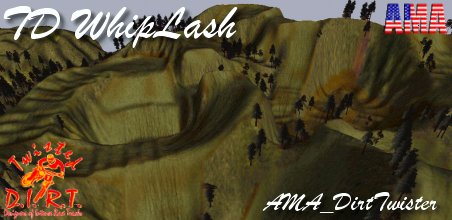
This track I almost threw away two years ago. I didn't delete it, but I didn't go anywhere with it. A couple of months ago while cleaning up my hard disk I tried it out again. I figured I would apply a few techniques to it that I had learned and drop it's height down. Everything just fell into place and I started to like it. I raced with a few TD members and I kept moving forward with it.
Almost every jump in this has to be taken with caution. You can't go flying full throttle over the jumps, flying over with brakes on is the norm. There are at least two jumps that will have you testing how far you can lean forward before falling off. I love whipping through the valley with 3 or 4 other riders and then, later on in the lap, simultaneously doing the vertical jump. I think some times it pays to let something simmer for a while, even if it is two years.
I decided to save this one to start off the new year. Here's to a great 2004.
Click on the image to download it.
Bruce
12/31/2003 06:03:43 PM - Saddle Country - posted by DirtTwister
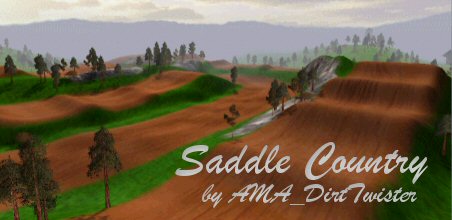
It's been a while since I released a national. Here's is one that I've wanted to release for a while.
This track actually started out with playing with parts of my Sunday Ride track. I was experimenting with moving portions and getting them to line up using the "Level" function in PSP. It started to turn into something that I liked and I got to have OCR_Occicide and McD test it and watch them tear it up. As part of watching them I made some changes and add two new SX like stretches to the track.
I've tried to create multiple lines and it can be easy to crash as you throw your bike out there to go for the more difficult jumps, but once you get in the groove it can be quite fun to race on it.