
Fix: LPro AIO Ramdisk "Device Not Registered Exclusive" The "Device Not Registered Exclusive" error in LPro AIO Ramdisk typically indicates that your device's
(Unique Chip ID) has not been added to the developer's database for the specific "Exclusive" or "PRO" service tier . This is common with tools like LPro AIO or Broque Ramdisk PRO
that require server-side authorization before they can bypass activation locks. Why You're Seeing This Error Missing Registration
: You haven't registered your ECID on the authorized portal. Tier Mismatch
: Your device is registered for a standard version, but you are trying to use an "Exclusive" or "PRO" feature. Pending Approval
: You registered recently, but the server hasn't updated your status yet. Step-by-Step Solution Copy Your ECID Open LPro AIO and connect your device in
. Look for the "ECID" field and copy the alphanumeric string. Register the ECID
Visit the official registration portal (often hosted on sites like ICTFix.net
) or the developer's Telegram bot. Enter your ECID to whitelist your device for the "Exclusive" service. Fix Driver Issues If the tool still doesn't recognize your device, use the "Fix Drivers" "Driver Fixer"
button within the application to ensure your PC communicates correctly with the device in DFU mode. Re-connect and Activate
Restart the tool, reconnect your device, and try the bypass again. Ensure you have a stable internet connection for the server check.
For more detailed troubleshooting and official downloads, check these resources: Registration Guides Troubleshooting How to Register Register ECID Guide
- A visual walkthrough on how to find and register your ECID for PRO features. Direct registration links are often found at , a common repository for these tools. Reddit Community Fixes
The error message "Device Not Registered Exclusive" LPro AIO Ramdisk
tool indicates that the unique identifier (ECID) of your iOS device has not been authorized in the developer's database. This is a security check used by bypass tools to ensure that only "registered" or paid users can access premium features like iCloud activation bypassing or passcode removal. The Role of LPro AIO in iOS Modification
LPro AIO (All-In-One) is a specialized Windows-based utility designed for iOS devices, primarily used to bypass iCloud Activation Locks or "Hello" screens. It operates by booting a custom "Ramdisk"—a temporary operating system loaded into the device's volatile memory—which allows the software to modify system files without a full jailbreak.
Because these tools often involve proprietary exploits and maintenance, developers like LPro use an ECID-based registration system
. Every iPhone and iPad has an Electronic Chip ID (ECID); without this ID being "whitelisted" on the tool's server, the software will block execution and display the "Device Not Registered" status. Why the "Exclusive" Error Occurs "Exclusive"
in the error often refers to a specific tier of service or a requirement for a one-time registration of that specific hardware. Common causes include: Missing Registration:
The most frequent cause is simply that the device's ECID has never been submitted to the LPro database. Database Desync:
Occasionally, a device is registered but the local tool fails to verify it due to server downtime or internet connectivity issues. Version Mismatch:
Using an outdated version of LPro AIO may result in registration check failures if the developer has migrated to a newer database. How to Resolve the Registration Error
To fix this and advance with your device bypass, follow these standard procedural steps: Retrieve your ECID:
Connect your device to your computer. Open the LPro AIO tool or a utility like to locate and copy your 16-digit ECID. Register the ID:
You must submit this ECID to an authorized registration service. Depending on the tool's current model, this may be done through: Official Telegram Channels:
Many bypass developers use Telegram bots for instant ECID registration. Reseller Panels:
Some versions of LPro require a small fee paid to a reseller to "activate" the device in their system. Free Promotional Periods:
Occasionally, developers offer free registration windows via their social media or community forums. Refresh the Tool:
Once the registration is confirmed on the server side, restart LPro AIO and click "Check Registration." The status should change from "Not Registered" to "Authorized" or "Registered". Driver Verification:
Ensure your "Apple Mobile Device USB Driver" is correctly installed. If the tool cannot see the device properly, it may default to a "not registered" error.
For further assistance, users often turn to communities like the
The "device not registered" error in LPro AIO Ramdisk typically occurs when your iPhone or iPad's unique identifier (ECID) has not been added to the developer's authorized database. Because this tool is often used for bypassing Activation Locks or passcodes, it requires "exclusive" registration, meaning the device must be registered for the specific service you are attempting to use. Common Solutions lpro aio ramdisk device not registered exclusive
Register Your ECID: You must copy your device's ECID (found within the tool or via 3uTools) and submit it to an authorized reseller or the official LPro registration portal. Without this, the tool will block the ramdisk from loading.
Check Service Type: Ensure you have registered for the correct "exclusive" service (e.g., Hello Screen Bypass vs. Passcode Bypass). If you registered for one but are trying to perform the other, you will receive a registration error.
Use the "Fix Drivers" Button: Driver conflicts can sometimes prevent the tool from recognizing a registered device. Use the built-in driver fixer to ensure your PC is communicating correctly with the device in DFU mode.
Re-pwn the Device: If you are using a Mac-based version or an Arduino for A5-A7 devices, a "Pipe Error" or unsuccessful pwn can trigger registration issues. You may need to reboot and attempt the DFU/pwn process multiple times. Troubleshooting Steps
Verify Registration Status: Re-check the status of your ECID on the reseller's site to confirm it is "Authorized" or "Success."
Update the Tool: Ensure you are using the latest version of LPro AIO. Older versions may fail to connect to the newer registration servers.
Hardware Check: Use a high-quality USB-A to Lightning cable. USB-C to Lightning cables are notorious for causing connection failures during the ramdisk boot stage.
Restore Fresh: For Hello Screen bypasses, if the tool persists with errors, try a "Fresh Restore" using 3uTools and then attempt the bypass again. Ramdisk Tools Error Fixes Guide.pdf - Course Hero
The LPro AIO Ramdisk is a popular "all-in-one" tool used primarily for bypassing iCloud activation locks and passcode screens on iOS devices (versions 15 and 16). One of the most common hurdles users face is the "Device Not Registered" error, which prevents the software from executing its bypass functions. Understanding the "Device Not Registered" Error
When using tools like LPro AIO, the software checks its database for your device's unique Serial Number (SN) or ECID. If the tool returns a "not registered" status, it means the server has not yet authorized your specific hardware to use its services. Registration is a mandatory security and licensing step to ensure only paid or authorized users can access the ramdisk's "exclusive" features. Why Registration is Required
Server Authentication: The tool communicates with a central server to verify that the device has been whitelisted.
Feature Access: "Exclusive" ramdisk features—such as signal fix, passcode bypass with full networking, and iOS 15/16 support—are often tied to specific registration tiers.
Security: Registration prevents unauthorized cloning of the tool's proprietary bypass methods. How to Resolve the Error
To fix this issue, you must add your device's serial number to the LPro database through an official reseller or the developer's portal.
Locate Your Serial Number: Open the LPro AIO tool and connect your device in Recovery or DFU mode. The tool will display your SN or ECID.
Register through a Provider: Visit an authorized registration service such as Gsm-SR, which manages IMEI and serial registrations for LPro AIO.
Submit for Whitelisting: Enter your SN into the registration field and complete the required payment (if applicable).
Wait for Activation: Registration typically takes anywhere from a few minutes to 24 hours to reflect on the server.
Re-run the Tool: Once notified that the registration is successful, restart the LPro AIO software and reconnect your device to proceed with the ramdisk bypass. Troubleshooting Tips
Check Connection: Ensure you are using a high-quality data cable; some "charging-only" cables will not allow the tool to read the SN correctly.
Server Latency: If you have just registered, wait at least 30 minutes before trying again to allow the server to update.
Correct Tool Version: Ensure you are using the latest version of LPro AIO, as older versions may have broken links to the registration server.
Solving the "LPro AIO Ramdisk Device Not Registered" Error If you are using the LPro AIO Ramdisk tool for iOS bypass or passcode services, you might encounter the frustrating message: "Device not registered" or "Exclusive access required." This typically occurs when the tool cannot verify your device’s ECID (Unique Chip ID) against its authorized database. Why Your Device Isn't Showing as Registered
LPro AIO is a paid professional tool. Unlike some open-source alternatives, it requires a license tied to your specific device. Common reasons for this error include:
Missing ECID Registration: You haven't added your device's ECID to the server yet.
Server Lag: You just registered, but the server hasn't updated your status.
Driver Issues: On Windows, outdated or incorrect Apple mobile device drivers can prevent the tool from communicating with the server correctly. Step-by-Step Fixes
Verify Registration StatusCheck if your ECID is actually registered on an authorized server like Gsm-SR or Rapid Unlock Codes. If you haven't paid for a license, the tool will remain "unregistered."
Clean Reinstall of DriversIf you are registered but still see the error, your drivers might be the culprit. Disconnect your iPhone.
Uninstall all "Apple Mobile Device" drivers from your Device Manager.
Reboot your PC and let Windows reinstall them automatically, or use the tool's built-in "Fix Drivers" button if available. Fix: LPro AIO Ramdisk "Device Not Registered Exclusive"
Refresh the Application StateSometimes the local cache gets stuck. Try logging out of the application, clearing its data or cache from your settings, and then logging back in to force a re-check of your device status.
Check Your Connection ModeEnsure your device is in the correct mode (DFU or Recovery) as specified by the LPro AIO interface. If the tool can't read the ECID because the connection is unstable, it won't be able to confirm registration. Still Stuck?
If you've confirmed your registration and fixed your drivers but still can't get exclusive access, reach out to the specific reseller where you purchased your license. They can verify if your ECID was entered correctly in their database.
Need help finding your ECID? Open the LPro AIO tool and connect your device; the ECID is usually displayed on the main dashboard for easy copying. AI responses may include mistakes. Learn more
"Device is not registered. Please try again" error - 1.1.1.1
The error message "Device not registered exclusive" in the LPro AIO Ramdisk tool typically means that
while your device's ECID may be registered in the general database, it has not been authorized for the "Exclusive"
(often paid or premium) features required for the specific bypass or operation you are attempting Review & Troubleshooting
LPro AIO is a specialized tool used for bypassing iCloud Activation Locks and MDM on iOS devices. Here is a breakdown of why you are seeing this and what it means for your device: Registration Tiers
: LPro tools often distinguish between "Free" registrations (which might only allow basic checks) and "Exclusive/Pro" registrations. If you are trying to use a "Hello Screen" bypass with signal or a full Ramdisk fix, the tool checks if that specific serial/ECID has been paid for. Database Desync
: Sometimes a device is registered on the server, but the local tool fails to verify it. Users often resolve this by re-opening the tool as Administrator or clicking the "Check Device" button again after a few minutes. Common Use Cases : This tool is most frequently used for: iCloud Bypass
: Removing the activation lock on older iPhones (typically 5s through X). MDM Removal : Bypassing mobile device management profiles. Passcode/Disabled Fix
: Backing up activation records to restore them after a wipe. Next Steps to Fix the Error Verify ECID Registration
: Double-check the website or reseller where you purchased the service to ensure the ECID was entered correctly. A single typo will result in this error. Tool Update : Ensure you are using the latest version of
. Older versions often lose connection to the updated registration APIs. Connection Stability
: Ensure you are using a high-quality USB-A to Lightning cable. USB-C to Lightning cables are notorious for failing during Ramdisk and DFU operations. Change Ports
: If the device isn't being recognized as registered, try a different USB port on your PC to refresh the hardware ID handshake.
The "Device Not Registered" or "Exclusive" error in LPro AIO Ramdisk typically occurs when the tool cannot verify your device's Unique Device Identifier (ECID) in the developer's database. This software requires a formal registration—often a paid service—to authorize its bypass features for specific iOS devices. Primary Causes of the Error
Missing Database Entry: Your device's ECID hasn't been added to the LPro server yet.
Exclusive Mode Requirement: Some versions require an "Exclusive" registration tier for specific features like signal support or Hello screen bypass on newer iOS versions.
Driver Conflicts: Damaged libusb drivers or bad cable connections can prevent the tool from reading the ECID correctly, leading to a failed registration check. Troubleshooting & Steps to Resolve Register Your ECID:
Find the ECID or Serial Number displayed in the LPro AIO interface.
Contact an authorized reseller or use the official LPro registration portal (often found on Telegram or dedicated GSM forums) to submit your ID for activation. Verify Driver Integrity (macOS):
If using a Mac, ensure brew and libusb are healthy. Run brew doctor in the Terminal to check for errors. If issues persist, reinstall the USB driver by running: brew uninstall libusb brew install libusb Clean SSH Sessions:
Old SSH sessions can interfere with the connection. Clear them by running rm -rf ~/.ssh in your terminal. Hardware Check: Use a high-quality MFi-certified lightning cable.
Try a different USB port, preferably one directly on the motherboard if using a PC. Standard Workflow for LPro AIO Ramdisk
Once registered, ensure you follow the sequential steps to avoid secondary errors:
Manual Recovery: Boot the device into Recovery Mode manually.
DFU Mode: Use the "Boot to DFU" button (do not skip this step).
PwnDFU: Click "Run PwnDFU" and wait for the success message.
SSH Check: Click "Check SSH" and wait for the indicator to turn green before attempting "Backup Activation" or "Restore Activation". If you'd like, I can help you: Find authorized resellers for ECID registration. Fix hints
Troubleshoot specific error codes (e.g., Error -1 or SSH connection failed). Provide a step-by-step guide for Windows vs. macOS setups. Telegram: View @cnmmv Telegram: View @cnmmv. ... CNM right away. Telegram Messenger
The error "Device Not Registered Exclusive" in LPro AIO Ramdisk is a common wall for users attempting to bypass iCloud or passcode locks on iOS devices. It essentially indicates a licensing mismatch: your device's unique ECID or Serial Number hasn't been authorized on the developer's server for that specific "exclusive" service. The Core of the "Exclusive" Error
LPro AIO (All-In-One) operates on a paid registration model. Unlike open-source tools, "Exclusive" features—such as full signal bypass or iOS 15/16 support—require a premium license tied to your device. Problem Component Technical Significance Registration
The tool checks your device's ECID against a remote database. If no entry exists, it blocks the boot process. Exclusive
Refers to a specific tier of service (often including SIM signal/calls) that isn't included in the standard or free versions. Ramdisk
A temporary filesystem loaded into the iPhone's RAM to bypass the standard boot security and access the data partition. How to Resolve the Registration Issue
If you encounter this error, the tool is functioning correctly, but your "permission" is missing. To fix it, you typically need to:
Verify ECID/Serial: Copy your device’s ECID from the LPro AIO interface.
Register through a Reseller: Most users must go through authorized "GSM" service providers or resellers who have access to the LPro server to add their device.
Check Service Type: Ensure you paid for the "Exclusive" service specifically. Registering for a basic passcode bypass may not unlock the "Exclusive" ramdisk features.
Internet Connection: Ensure your PC is connected to the internet during the process, as the tool must "ping" the server to verify your registration status. Typical Workflow for LPro AIO Step 1: Connect the device in Recovery Mode.
Step 2: Enter PwnDFU mode (essential for the ramdisk to load).
Step 3: The tool checks for Registration. If successful, it "Boots Device" to the custom ramdisk.
Step 4: Mount the filesystem to perform the bypass or backup. Why this happens frequently
Developers often update their servers or change service tiers. If you registered your device months ago for an older version, the newer "Exclusive" version may require a re-registration or a small upgrade fee to support newer iOS versions like iOS 15 or 16. To help you get past this, could you tell me: Which iPhone model and iOS version are you working with?
Did you recently pay for a registration, or are you trying to use a free version?
Are you trying to do a passcode bypass (with data) or a Hello screen bypass?
I can then point you toward the specific registration source or a potential free alternative if available.
dmesg -T | grep -i "lpro aio ramdisk"
sudo journalctl -k -g "lpro"
Sometimes this is a one-off race condition. A full reboot clears orphaned device registrations.
sudo reboot
If the error disappears, you’re done. If not, proceed.
To ensure lpro_aio_ramdisk loads before other ramdisk drivers, blacklist conflicting modules or set a soft dependency.
Create a file /etc/modprobe.d/lpro_fix.conf:
# Prevent standard ramdisk from loading first
blacklist brd
# Ensure lpro loads early
softdep lpro_aio_ramdisk pre: some_dependency_module
Update initramfs and reboot:
sudo update-initramfs -u
sudo reboot
In the complex ecosystem of high-performance computing, AI-driven storage optimization, and enterprise Linux kernel modules, error messages often serve as cryptic breadcrumbs leading to a root cause. One such error that has been increasingly reported by system administrators, particularly those working with AI inference servers and custom RAM disk implementations, is:
"lpro aio ramdisk device not registered exclusive"
This message typically appears in dmesg (kernel ring buffer), syslog, or during the initialization of specific drivers. It can halt I/O operations, prevent mounting of virtual disks, or cause application timeouts. This article dissects the error, explains each component of the phrase, diagnoses the underlying kernel or driver issues, and provides a comprehensive set of solutions.
The error “device not registered exclusive” typically indicates that the driver attempted to claim a major/minor device number or a system resource (e.g., a memory region or IRQ) exclusively, but the kernel rejected the request. Potential causes include:
| Cause | Explanation |
|-------|-------------|
| Duplicate device registration | Another driver already holds an exclusive lock on the required device number range. |
| Resource conflict | The requested memory region (e.g., a fixed RAM address for the ramdisk) is already reserved by another subsystem (e.g., brd (ramdisk), zram, or a reserved memory region in DT/ACPI). |
| Missing or incorrect exclusive flag handling | The driver code explicitly requests an exclusive binding (e.g., request_mem_region() or register_blkdev() with exclusive flag) but the kernel cannot grant it because the resource is already marked as "in use" or "shared". |
| Previous instance not cleaned up | A prior unload of the driver did not properly release the exclusive registration, leaving a stale entry. |
| Insufficient permissions or namespacing | In containerized or security-enhanced kernels (SELinux/AppArmor), the driver may lack capability to register an exclusive device. |
Through analysis of kernel source structures and real-world bug reports, we can identify four primary root causes.
The standard Linux RAM disk driver is brd (block RAM device). If lpro depends on the traditional /dev/ramX system but brd is not loaded, the device nodes are never created. The lpro driver scans for these devices, finds nothing, and returns "device not registered."

About us

Products

News

Contact us
Head office:
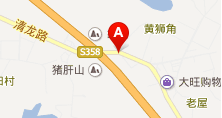
Address: MHK Industrial Park, No.5 Xinfeng Street, ChangLong Village,
HuangJiang Town, DongGuan City, 523000, GuangDong, P.R.China
Tel: 00-86-769-3894-2241
Fax: 00-86-769-3901-1088
E-mail:
ost-sales@mhkdvr.com
kat-sales@mhkdvr.com
DVR:sza-sales@mhkdvr.com
Russia email to szd-sales@mhkdvr.com
 Copyright All rights reserved ICP: 0903729 * No. Website: combined excellent network
All Rights Reserved © 2026 Deep Leading Pulse
 简体中文
简体中文 English