

(2026 - yil yanvar - mart holatiga)

2025 yilning yanvar-mart oyiga nisbatan foizda

2025 yilning yanvar-mart oyiga nisbatan foizda

2025 yilning yanvar-mart oyiga nisbatan foizda

2025 yilning yanvar-mart oyiga nisbatan foizda

2025 yilning yanvar-mart oyiga nisbatan foizda

2025 yilning yanvar-mart oyiga nisbatan foizda

2025 yilning yanvar-mart oyiga nisbatan foizda

2025 yilning yanvar-mart oyiga nisbatan foizda

2025 yilning yanvar-mart oyiga nisbatan foizda

2025- yil 1- iyul holatiga
Mobile Device Management (MDM) on Samsung devices is a robust security protocol often linked with Samsung Knox, designed to allow enterprises to remotely manage and secure their fleet. "Apkation" is frequently cited as a third-party software solution aimed at bypassing these enterprise-level restrictions. Understanding Samsung MDM and "Apkation"
Samsung MDM locks are used by organizations to enforce security policies, such as restricting factory resets, managing application usage, and tracking devices. While official removal typically requires an administrator key, tools like Apkation are marketed as specialized utilities for users who have lost access to these official channels.
Primary Function: Apkation is designed to remove MDM restrictions, particularly when the system prevents a factory reset. Key Features:
Compatible with a wide range of Samsung models and Android versions.
Known for a relatively swift removal process compared to manual workarounds.
Regularly updated to stay compatible with new Samsung security patches.
Technical Requirement: While user-friendly, it may still require basic technical knowledge, such as enabling Developer Options or ADB (Android Debug Bridge) on the device. How to Remove KNOX/MDM On Any Samsung | Android
While "APKation" is not a specific software brand, it is frequently associated with the distribution of tools like MDM Fix Tool HiPro Tool
, which claim to remove corporate or institutional restrictions. Key Features of These Tools MDM & KG Bypass
: Removes restrictions that prevent device resets or full access, often used for second-hand or corporate-locked phones. ADB Enablement
: Uses specialized methods, such as QR code scanning or MTP mode, to enable Android Debug Bridge (ADB) on locked devices. FRP Lock Removal
: Many of these packages also include tools for bypassing Factory Reset Protection (FRP). Wide Compatibility : Recent versions claim support for Android 15 and 16 and the latest 2026 security patches. Common Unlocking Methodologies Factory Reset
: Most procedures begin with a clean state via recovery mode. QR Code Scan
: Users often scan a QR code displayed by the tool on a PC to initiate a "Work Profile" setup, which is then manipulated to gain control. ADB Commands
: Once ADB is enabled, the tool sends commands to disable the system UI or MDM agent. EDL/MTP Modes
: Advanced tools may use Emergency Download Mode (EDL) for deeper hardware-level access on specific chipsets like Qualcomm. Important Risks and Limitations Non-Permanent Unlocks
: Some bypasses are temporary; factory resetting the phone again may cause the MDM lock to return. : These processes almost always require a full device wipe. Security Risks
: Downloading tools from unofficial sources like "apkation" sites often requires disabling antivirus software, which can expose your PC to malware. Potential for Bricking
The Frustrating Experience
Rahul had been using his Samsung Galaxy S10 for over a year without any issues. However, after his company decided to switch to a new mobile device management (MDM) system, his phone was enrolled in the program without his consent. The MDM software, designed to manage and secure company devices, imposed strict restrictions on his phone, limiting his ability to use it as he normally would.
Rahul couldn't install new apps, change settings, or even reset his phone without permission from the MDM administrator. The phone had become essentially unusable for personal purposes. Frustrated and annoyed, Rahul searched online for a solution to bypass or unlock his phone from the MDM restrictions.
The Discovery
During his search, Rahul stumbled upon an article mentioning the "Samsung MDM Unlock Tool - Apkation". The tool claimed to offer a simple and effective way to bypass MDM restrictions on Samsung devices. Intrigued, Rahul decided to learn more about the tool and its capabilities. samsung mdm unlock tool - apkation
The Solution
After further research, Rahul found that the Samsung MDM Unlock Tool - Apkation was a third-party software designed specifically for Samsung devices. The tool worked by exploiting a vulnerability in the MDM software, allowing users to bypass restrictions and regain control of their devices.
The tool was an APK file (Android Package File) that needed to be installed on the device. Once installed, it would create a temporary workaround to disable the MDM agent, giving Rahul access to his phone's settings and functionality.
The Process
Rahul carefully followed the instructions provided by the Apkation website:
The Outcome
To Rahul's relief, the tool worked seamlessly. The MDM restrictions were successfully bypassed, and he regained full control of his phone. He could now install new apps, change settings, and use his phone as he normally would.
However, Rahul was aware that using such a tool might void his phone's warranty and potentially expose him to security risks. He made sure to understand the implications and took necessary precautions to ensure his phone's security.
The Verdict
The Samsung MDM Unlock Tool - Apkation had saved the day for Rahul. While it was not an official solution, it had provided him with a much-needed workaround to bypass the restrictive MDM software. He was now able to use his phone without limitations, and his productivity and personal life were back on track.
Disclaimer: Using third-party tools to bypass MDM restrictions may void your device's warranty and expose you to security risks. It's essential to understand the implications and use such tools at your own risk. Official solutions, such as contacting the MDM administrator or seeking support from your organization, should be explored before opting for third-party tools.
Apkation is a widely recognized tool for bypassing Mobile Device Management (MDM) on Samsung devices. It is specifically designed to help users regain full control of hardware restricted by corporate or educational policies, particularly when a factory reset is blocked or ineffective. Core Features
MDM & KG Lock Removal: It targets both standard MDM profiles and Samsung’s more stringent KG (Knox Guard) locks, which often persist even after a data wipe.
Wide Compatibility: The tool is frequently updated to support various Samsung models and recent Android versions.
User Interface: Designed with a relatively simple interface, though some technical knowledge (like enabling ADB or using a PC) is generally required to complete the process.
Permanent vs. Temporary: While some methods offer a "permanent" fix, many MDM bypasses require users to avoid factory resetting the device afterward to prevent the lock from returning. Pros & Cons Pros Cons
Bypasses hardware locks that a standard factory reset cannot touch.
Security Risks: Downloading third-party unlocking tools can expose your PC or phone to malware if sourced from unofficial sites. High success rate for Samsung-specific Knox restrictions.
Relock Risk: The lock may return if the device is updated or reset.
Cost-effective compared to professional physical repair services.
Voided Warranty: Using such tools typically voids any remaining official Samsung warranty. Expert Verdict
Apkation is a "last-resort" utility. It is highly effective for legitimate owners who have lost access to their credentials or for those purchasing second-hand devices where a previous owner forgot to remove corporate management. However, users should proceed with caution: Mobile Device Management (MDM) on Samsung devices is
Backup Data: Always backup your information, as the process often involves a factory reset during the initial steps.
Verify Legitimacy: Ensure you are using the tool for legal purposes; bypassing MDM on a reported stolen device can lead to the phone being blacklisted by carriers, making it a "paperweight" for calls and data. If you're ready to proceed, I can help you with: A step-by-step guide on how to use it safely. Alternative methods if you don't have a Windows PC.
How to check if your device's IMEI is blacklisted before you start.
Samsung MDM Unlock Tool is a specialized utility designed to bypass and remove Mobile Device Management (MDM) and Knox Guard (KG) locks on Samsung Android devices. Key Features MDM & KG Lock Removal
: Specifically targets corporate or educational MDM restrictions and Knox Guard (KG) "locked" states that prevent full device usage. Universal Model Compatibility
: Designed to work across various Samsung Galaxy models, including recent security patches and Android versions (up to Android 14 and 15). One-Click Bypass
: Provides a streamlined process that often utilizes a single "Remove MDM" or "Remove KG" button within the tool's interface. No Manual Disassembly
: Bypasses locks through software methods like ADB (Android Debug Bridge) or specialized QR code scanning without needing to open the phone hardware. Disable Factory Reset
: Some versions include features to disable the factory reset option after unlocking to prevent the device from relocking. ADB Integration : Uses the
diagnostic mode or QR codes to enable ADB, allowing the tool to communicate directly with the device's system settings. Important Considerations Temporary vs. Permanent
: Many of these bypasses are not permanent. If you factory reset the device or perform a major system update, the MDM lock may reappear. Security Risk : Downloading tools from third-party sites like
carries risks. Always ensure you have permission to unlock a device before proceeding. with these tools?
Mobile Device Management (MDM) on Samsung devices is a security feature used by organizations to remotely manage and secure corporate-owned smartphones and tablets Samsung MDM Unlock Tool - Apkation
is frequently mentioned in online forums and third-party tutorials as a method for bypassing these restrictions, particularly on older models like the J4 and J6 series. Key Features of Apkation Tools
According to third-party descriptions, these tools claim to offer several functions: MDM Removal
: Bypasses the Mobile Device Management lock that restricts device usage. FRP Bypass : Removes Factory Reset Protection (FRP) locks. EDL Mode Support
: Uses Emergency Download (EDL) mode to communicate with the device's hardware for unlocking. Model Compatibility
: Claims to support various Samsung models, including SM-J415F and SM-J610F, and sometimes even iOS devices. Standard (Official) Removal Methods
Before using third-party software, consider these official ways to manage or remove MDM profiles: Device Settings : Navigate to Settings > Security > Device Administrators to check for and disable any active management profiles. Admin Console
: If you have access, an IT administrator can "Retire" or "Delete" the device directly from the MDM management console. Work Profile : For personal devices with work apps, go to Settings > Passwords and accounts > Work tab and select "Remove Work Profile". samsung.com Important Considerations Security Risks
: Tools found on sites like "Apkation" or shared via Google Drive links are unofficial. Downloading and running such software carries risks of malware or permanent device bricking.
: Bypassing security locks often requires a factory reset, which will erase all local data on the device. He enabled "Unknown Sources" on his phone to
: Removing MDM without authorization may violate organizational policies or terms of service. Google Drive Are you trying to remove a work profile from a personal device, or are you troubleshooting a company-locked
If you find your Samsung device restricted by workplace policies or locked out by Knox security, you may have encountered Mobile Device Management (MDM). The Samsung MDM Unlock Tool from sites like Apkation is often sought by users trying to regain full control of their hardware. What is Samsung MDM?
Mobile Device Management is a security framework used by organizations to manage, monitor, and secure corporate devices. On Samsung phones, this often integrates with Samsung Knox, which can: Prevent factory resets. Restrict app installations. Enforce complex password policies. Remotely wipe or lock the device. How the Samsung MDM Unlock Tool Works
The tools hosted on platforms like Apkation typically work by bypassing the MDM agent or de-provisioning the device from its management profile. Key Features
Bypass Restrictions: Removes locks that prevent you from resetting or updating the device.
Permanent Removal: Some tools claim to permanently fix KG (Knox Guard) locks so they don't return after a reboot.
Compatibility: Supports various series, including Samsung A, J, and S-series models.
No Technical Expertise Required: Most versions feature a simple "One-Click" interface for removing the lock. Standard Methods for MDM Removal
Before turning to third-party APKs, you can try these official methods if you have the necessary permissions:
If APKation’s tool doesn’t work for your device or security level, consider these alternatives:
| Tool Name | Method | Cost | PC Required | |-----------|--------|------|--------------| | SamFw FRP Tool | Knox reset via USB debugging | Free | Yes | | UnlockTool by GSM*** | Server-side MDM removal | $15/day | Yes | | Octoplus Box | Hardware/software combo | $100+ (box) | Yes | | Official IT Removal | Contact former company’s IT | Free (if legitimate) | No |
Best advice: Before using any tool, try contacting the company that originally owned the device. A simple email to their IT department can result in a remote MDM release.
Some reputable online services (e.g., DoctorSIM, SafeUnlockCode) offer remote MDM removal using authorized Samsung backend access. Cost: $20–$60. Ensure they have positive reviews and offer a money-back guarantee.
If the device is still legally owned by a company, bypassing MDM could be considered a violation of the Computer Fraud and Abuse Act (CFAA) in the U.S. or similar laws in other countries.
Imagine acquiring a second-hand Samsung Galaxy smartphone. The price is right, the screen is pristine, and the battery health is excellent. But the moment you complete the setup, a message appears: "This device is managed by your organization. Remote configuration is pending." You cannot access the app drawer, install personal apps, or even make a phone call. You are staring at the dreaded MDM Lock.
MDM (Mobile Device Management) is a critical security feature used by corporations, schools, and government agencies. It allows administrators to remotely configure, secure, and control devices. However, when a device is improperly decommissioned—sold without being released from the MDM system—the legitimate end-user is left with an expensive brick.
In the search for a solution, many users stumble upon a file or website called "Samsung MDM Unlock Tool – Apkation." But what exactly is this tool? Does it work? More importantly, should you trust it?
This article provides a deep dive into the Samsung MDM problem, the promise of Apkation’s tool, and safer alternatives.
Introduction: The Frustration of a Managed Device
Imagine this: You just purchased a second-hand Samsung Galaxy smartphone. The price was great, the body is mint, and the specs are top-tier. You turn it on, go through the setup wizard, and suddenly... a wall. A screen that reads: "This device is managed by a Mobile Device Management (MDM) system. Activating this device will allow your administrator to manage it."
You are locked out. The device is effectively a paperweight.
This is the infamous Samsung MDM lock, also known as Knox Guard. For business users, this is a security feature. For individual buyers, it is a nightmare. Enter the Samsung MDM Unlock Tool by APKation—a software solution that claims to liberate your device from corporate digital shackles. But what is it? Does it work? Is it safe?
In this comprehensive guide, we will dissect everything you need to know about the APKation MDM unlock tool, how it works, the legal risks, and step-by-step usage instructions.
The only 100% safe and sure method. If you bought the device second-hand, contact the seller and demand they contact their IT department to release the device from the MDM portal. Samsung Knox devices can be remotely unenrolled by an admin.
Mobile Device Management (MDM) on Samsung devices is a robust security protocol often linked with Samsung Knox, designed to allow enterprises to remotely manage and secure their fleet. "Apkation" is frequently cited as a third-party software solution aimed at bypassing these enterprise-level restrictions. Understanding Samsung MDM and "Apkation"
Samsung MDM locks are used by organizations to enforce security policies, such as restricting factory resets, managing application usage, and tracking devices. While official removal typically requires an administrator key, tools like Apkation are marketed as specialized utilities for users who have lost access to these official channels.
Primary Function: Apkation is designed to remove MDM restrictions, particularly when the system prevents a factory reset. Key Features:
Compatible with a wide range of Samsung models and Android versions.
Known for a relatively swift removal process compared to manual workarounds.
Regularly updated to stay compatible with new Samsung security patches.
Technical Requirement: While user-friendly, it may still require basic technical knowledge, such as enabling Developer Options or ADB (Android Debug Bridge) on the device. How to Remove KNOX/MDM On Any Samsung | Android
While "APKation" is not a specific software brand, it is frequently associated with the distribution of tools like MDM Fix Tool HiPro Tool
, which claim to remove corporate or institutional restrictions. Key Features of These Tools MDM & KG Bypass
: Removes restrictions that prevent device resets or full access, often used for second-hand or corporate-locked phones. ADB Enablement
: Uses specialized methods, such as QR code scanning or MTP mode, to enable Android Debug Bridge (ADB) on locked devices. FRP Lock Removal
: Many of these packages also include tools for bypassing Factory Reset Protection (FRP). Wide Compatibility : Recent versions claim support for Android 15 and 16 and the latest 2026 security patches. Common Unlocking Methodologies Factory Reset
: Most procedures begin with a clean state via recovery mode. QR Code Scan
: Users often scan a QR code displayed by the tool on a PC to initiate a "Work Profile" setup, which is then manipulated to gain control. ADB Commands
: Once ADB is enabled, the tool sends commands to disable the system UI or MDM agent. EDL/MTP Modes
: Advanced tools may use Emergency Download Mode (EDL) for deeper hardware-level access on specific chipsets like Qualcomm. Important Risks and Limitations Non-Permanent Unlocks
: Some bypasses are temporary; factory resetting the phone again may cause the MDM lock to return. : These processes almost always require a full device wipe. Security Risks
: Downloading tools from unofficial sources like "apkation" sites often requires disabling antivirus software, which can expose your PC to malware. Potential for Bricking
The Frustrating Experience
Rahul had been using his Samsung Galaxy S10 for over a year without any issues. However, after his company decided to switch to a new mobile device management (MDM) system, his phone was enrolled in the program without his consent. The MDM software, designed to manage and secure company devices, imposed strict restrictions on his phone, limiting his ability to use it as he normally would.
Rahul couldn't install new apps, change settings, or even reset his phone without permission from the MDM administrator. The phone had become essentially unusable for personal purposes. Frustrated and annoyed, Rahul searched online for a solution to bypass or unlock his phone from the MDM restrictions.
The Discovery
During his search, Rahul stumbled upon an article mentioning the "Samsung MDM Unlock Tool - Apkation". The tool claimed to offer a simple and effective way to bypass MDM restrictions on Samsung devices. Intrigued, Rahul decided to learn more about the tool and its capabilities.
The Solution
After further research, Rahul found that the Samsung MDM Unlock Tool - Apkation was a third-party software designed specifically for Samsung devices. The tool worked by exploiting a vulnerability in the MDM software, allowing users to bypass restrictions and regain control of their devices.
The tool was an APK file (Android Package File) that needed to be installed on the device. Once installed, it would create a temporary workaround to disable the MDM agent, giving Rahul access to his phone's settings and functionality.
The Process
Rahul carefully followed the instructions provided by the Apkation website:
The Outcome
To Rahul's relief, the tool worked seamlessly. The MDM restrictions were successfully bypassed, and he regained full control of his phone. He could now install new apps, change settings, and use his phone as he normally would.
However, Rahul was aware that using such a tool might void his phone's warranty and potentially expose him to security risks. He made sure to understand the implications and took necessary precautions to ensure his phone's security.
The Verdict
The Samsung MDM Unlock Tool - Apkation had saved the day for Rahul. While it was not an official solution, it had provided him with a much-needed workaround to bypass the restrictive MDM software. He was now able to use his phone without limitations, and his productivity and personal life were back on track.
Disclaimer: Using third-party tools to bypass MDM restrictions may void your device's warranty and expose you to security risks. It's essential to understand the implications and use such tools at your own risk. Official solutions, such as contacting the MDM administrator or seeking support from your organization, should be explored before opting for third-party tools.
Apkation is a widely recognized tool for bypassing Mobile Device Management (MDM) on Samsung devices. It is specifically designed to help users regain full control of hardware restricted by corporate or educational policies, particularly when a factory reset is blocked or ineffective. Core Features
MDM & KG Lock Removal: It targets both standard MDM profiles and Samsung’s more stringent KG (Knox Guard) locks, which often persist even after a data wipe.
Wide Compatibility: The tool is frequently updated to support various Samsung models and recent Android versions.
User Interface: Designed with a relatively simple interface, though some technical knowledge (like enabling ADB or using a PC) is generally required to complete the process.
Permanent vs. Temporary: While some methods offer a "permanent" fix, many MDM bypasses require users to avoid factory resetting the device afterward to prevent the lock from returning. Pros & Cons Pros Cons
Bypasses hardware locks that a standard factory reset cannot touch.
Security Risks: Downloading third-party unlocking tools can expose your PC or phone to malware if sourced from unofficial sites. High success rate for Samsung-specific Knox restrictions.
Relock Risk: The lock may return if the device is updated or reset.
Cost-effective compared to professional physical repair services.
Voided Warranty: Using such tools typically voids any remaining official Samsung warranty. Expert Verdict
Apkation is a "last-resort" utility. It is highly effective for legitimate owners who have lost access to their credentials or for those purchasing second-hand devices where a previous owner forgot to remove corporate management. However, users should proceed with caution:
Backup Data: Always backup your information, as the process often involves a factory reset during the initial steps.
Verify Legitimacy: Ensure you are using the tool for legal purposes; bypassing MDM on a reported stolen device can lead to the phone being blacklisted by carriers, making it a "paperweight" for calls and data. If you're ready to proceed, I can help you with: A step-by-step guide on how to use it safely. Alternative methods if you don't have a Windows PC.
How to check if your device's IMEI is blacklisted before you start.
Samsung MDM Unlock Tool is a specialized utility designed to bypass and remove Mobile Device Management (MDM) and Knox Guard (KG) locks on Samsung Android devices. Key Features MDM & KG Lock Removal
: Specifically targets corporate or educational MDM restrictions and Knox Guard (KG) "locked" states that prevent full device usage. Universal Model Compatibility
: Designed to work across various Samsung Galaxy models, including recent security patches and Android versions (up to Android 14 and 15). One-Click Bypass
: Provides a streamlined process that often utilizes a single "Remove MDM" or "Remove KG" button within the tool's interface. No Manual Disassembly
: Bypasses locks through software methods like ADB (Android Debug Bridge) or specialized QR code scanning without needing to open the phone hardware. Disable Factory Reset
: Some versions include features to disable the factory reset option after unlocking to prevent the device from relocking. ADB Integration : Uses the
diagnostic mode or QR codes to enable ADB, allowing the tool to communicate directly with the device's system settings. Important Considerations Temporary vs. Permanent
: Many of these bypasses are not permanent. If you factory reset the device or perform a major system update, the MDM lock may reappear. Security Risk : Downloading tools from third-party sites like
carries risks. Always ensure you have permission to unlock a device before proceeding. with these tools?
Mobile Device Management (MDM) on Samsung devices is a security feature used by organizations to remotely manage and secure corporate-owned smartphones and tablets Samsung MDM Unlock Tool - Apkation
is frequently mentioned in online forums and third-party tutorials as a method for bypassing these restrictions, particularly on older models like the J4 and J6 series. Key Features of Apkation Tools
According to third-party descriptions, these tools claim to offer several functions: MDM Removal
: Bypasses the Mobile Device Management lock that restricts device usage. FRP Bypass : Removes Factory Reset Protection (FRP) locks. EDL Mode Support
: Uses Emergency Download (EDL) mode to communicate with the device's hardware for unlocking. Model Compatibility
: Claims to support various Samsung models, including SM-J415F and SM-J610F, and sometimes even iOS devices. Standard (Official) Removal Methods
Before using third-party software, consider these official ways to manage or remove MDM profiles: Device Settings : Navigate to Settings > Security > Device Administrators to check for and disable any active management profiles. Admin Console
: If you have access, an IT administrator can "Retire" or "Delete" the device directly from the MDM management console. Work Profile : For personal devices with work apps, go to Settings > Passwords and accounts > Work tab and select "Remove Work Profile". samsung.com Important Considerations Security Risks
: Tools found on sites like "Apkation" or shared via Google Drive links are unofficial. Downloading and running such software carries risks of malware or permanent device bricking.
: Bypassing security locks often requires a factory reset, which will erase all local data on the device.
: Removing MDM without authorization may violate organizational policies or terms of service. Google Drive Are you trying to remove a work profile from a personal device, or are you troubleshooting a company-locked
If you find your Samsung device restricted by workplace policies or locked out by Knox security, you may have encountered Mobile Device Management (MDM). The Samsung MDM Unlock Tool from sites like Apkation is often sought by users trying to regain full control of their hardware. What is Samsung MDM?
Mobile Device Management is a security framework used by organizations to manage, monitor, and secure corporate devices. On Samsung phones, this often integrates with Samsung Knox, which can: Prevent factory resets. Restrict app installations. Enforce complex password policies. Remotely wipe or lock the device. How the Samsung MDM Unlock Tool Works
The tools hosted on platforms like Apkation typically work by bypassing the MDM agent or de-provisioning the device from its management profile. Key Features
Bypass Restrictions: Removes locks that prevent you from resetting or updating the device.
Permanent Removal: Some tools claim to permanently fix KG (Knox Guard) locks so they don't return after a reboot.
Compatibility: Supports various series, including Samsung A, J, and S-series models.
No Technical Expertise Required: Most versions feature a simple "One-Click" interface for removing the lock. Standard Methods for MDM Removal
Before turning to third-party APKs, you can try these official methods if you have the necessary permissions:
If APKation’s tool doesn’t work for your device or security level, consider these alternatives:
| Tool Name | Method | Cost | PC Required | |-----------|--------|------|--------------| | SamFw FRP Tool | Knox reset via USB debugging | Free | Yes | | UnlockTool by GSM*** | Server-side MDM removal | $15/day | Yes | | Octoplus Box | Hardware/software combo | $100+ (box) | Yes | | Official IT Removal | Contact former company’s IT | Free (if legitimate) | No |
Best advice: Before using any tool, try contacting the company that originally owned the device. A simple email to their IT department can result in a remote MDM release.
Some reputable online services (e.g., DoctorSIM, SafeUnlockCode) offer remote MDM removal using authorized Samsung backend access. Cost: $20–$60. Ensure they have positive reviews and offer a money-back guarantee.
If the device is still legally owned by a company, bypassing MDM could be considered a violation of the Computer Fraud and Abuse Act (CFAA) in the U.S. or similar laws in other countries.
Imagine acquiring a second-hand Samsung Galaxy smartphone. The price is right, the screen is pristine, and the battery health is excellent. But the moment you complete the setup, a message appears: "This device is managed by your organization. Remote configuration is pending." You cannot access the app drawer, install personal apps, or even make a phone call. You are staring at the dreaded MDM Lock.
MDM (Mobile Device Management) is a critical security feature used by corporations, schools, and government agencies. It allows administrators to remotely configure, secure, and control devices. However, when a device is improperly decommissioned—sold without being released from the MDM system—the legitimate end-user is left with an expensive brick.
In the search for a solution, many users stumble upon a file or website called "Samsung MDM Unlock Tool – Apkation." But what exactly is this tool? Does it work? More importantly, should you trust it?
This article provides a deep dive into the Samsung MDM problem, the promise of Apkation’s tool, and safer alternatives.
Introduction: The Frustration of a Managed Device
Imagine this: You just purchased a second-hand Samsung Galaxy smartphone. The price was great, the body is mint, and the specs are top-tier. You turn it on, go through the setup wizard, and suddenly... a wall. A screen that reads: "This device is managed by a Mobile Device Management (MDM) system. Activating this device will allow your administrator to manage it."
You are locked out. The device is effectively a paperweight.
This is the infamous Samsung MDM lock, also known as Knox Guard. For business users, this is a security feature. For individual buyers, it is a nightmare. Enter the Samsung MDM Unlock Tool by APKation—a software solution that claims to liberate your device from corporate digital shackles. But what is it? Does it work? Is it safe?
In this comprehensive guide, we will dissect everything you need to know about the APKation MDM unlock tool, how it works, the legal risks, and step-by-step usage instructions.
The only 100% safe and sure method. If you bought the device second-hand, contact the seller and demand they contact their IT department to release the device from the MDM portal. Samsung Knox devices can be remotely unenrolled by an admin.

O’zbekistonda qurilish

Ayollar va erkaklar

O`zbekistonda axborotlashgan jamiyat rivojlanishning asosiy ko`rsatkichlar

O`zbekistonda narxlar

O‘zbekiston qishloq xo‘jаligi

O‘zbekiston sаnoаti

O‘zbekistondа ijtimoiy rivojlаnish vа turmush dаrаjаsi

O‘zbekistondа sаvdo

O‘zbekistondа trаnsport vа аloqа

O’zbekiston hududlarining yillik statistik to’plami
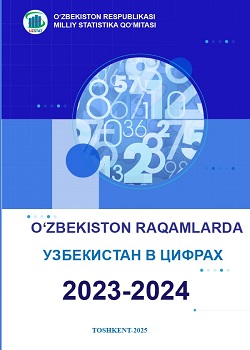
O’zbekiston raqamlarda

O’zbekistonda Asosiy fondlar
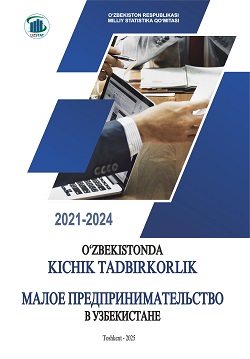
O’zbekistonda kichik tadbirkorlik

O’zbekistonda mehnat va bandlik

O’zbekistonda sog`likni saqlash

O’zbekistonda ta`lim

O’zbekistonning demografik yillik to’plami

Yillik statistik to‘plami

O’zbekiston Respublikasi Prezidenti huzuridagi Statistika agentligi Ochiq ma'lumotlar portalining asosiy muvofiqlashtiruvchisi va asosiy etkazib beruvchisi hisoblanadi.
Yuklangan Ma'lumotlar
Ko'rsatkichlar
Tashkilotlari
O‘zbekiston Respublikasida aholi va qishloq xo‘jaligini ro‘yxatga olish
2026 yilning 15 yanvaridan 28 fevraliga qadar o‘tkaziladi va ro‘yxatga olish maʼlumotlari 2026 yilning 15 yanvar holatiga to‘planadi

2015 yil 25 sentyabrda Birlashgan Millatlar Tashkiloti Bosh Assambleyasida 70/1-sonli "Dunyomizni o'zgartirish. 2030 yilgacha bo'lgan davrda barqaror rivojlanish sohasidagi kun tartibi" rezolyutsiyasini qabul qildi va u 2016 yil 1 yanvardan kuchga kirdi.Ushbu hujjat kompleks xarakterga ega 17 maqsad va 169 vazifani o'z ichiga olgan bo'lib, barqaror rivojlanishning har uchta komponenti - iqtisodiy o'sish, ijtimoiy integratsiya va ekologik barqarorlik muvozanatini ta'minlaydi.
MAQSADLAR
VAZIFALAR
KO'RSATKICHLAR

Uslubiy materiallarning elektron kutubxonasi, uslubiy nizomlar va yo’riqnomalarning tizimlashtirilgan ro’yxati, statistik kuzatuvlar o’tkazish va tashkillashtirish masalalarini reglamentlashni o’z ichiga oladi.
UMMUMIY MATERIALLAR
AMALDAGI MATERIALLAR
BEKOR QILINGAN MATERIALLAR

Xalqaro valyuta jamg‘armasining “kengaytirilgan Ma’lumotlarni tarqatishning umumiy tizimi” (kMTUT) mamlakatlarni iqtisodiy salohiyatini namoyon qiluvchi asosiy ma’lumot manbai hisoblanadi. Tizim doirasida asosiy iqtisodiy, moliyaviy va ayrim ijtimoiy ko‘rsatkichlar belgilangan talablar asosida e’lon qilib boriladi.
Mazkur sahifada nafaqat Davlat statistika qo‘mitasi, balki tizimning boshqa ishtirokchilari, ya’ni Moliya vazirligi, Markaziy bank va “Toshkent” RFBning tegishli ma’lumotlari bir resursga mujassamlashtirilgan.
KATEGORIYA
INDIKATORLAR
TASHKILOTLAR
Kadrlar malakasini oshirish va statistik tadqiqotlar insituti huzuridagi "O'zbekiston Statistika Axborotnomasi" ilmiy elektron jurnali.
Tarmoq va Sohalar
Jurnallar soni
Maqolalar
Gender statistikasi bu - ayollar va erkaklarning gender nuqtai nazaridan farqini aniqlash va buni tizimli ravishda o`rganib borish uchun, ayol va erkaklarning muhim ahamiyatga ega bo`lgan barcha yo`nalishlardagi haqiqiy o`rnini xolisona aks ettiruvchi statistika hisoblanadi
Bo'limlar
Yo'nalishlar
Ko'rsatkichlar
 Shaxsiy kabinet
 Interaktiv xizmatlar
 Resurslar


