
Arch Pro is a precision-tuned LOG to REC709 LUT system built specifically for the Pocket Cinema Camera 4K, 6K, and 6K Pro. The base set includes a Natural LUT along with Filmic and Vibrant character LUTs—each one uniquely matched to your camera’s sensor and LOG profile. This isn’t one-size-fits-all, it’s one-for-each, engineered for color that just works.
Want more? The Plus and Premium Bundles unlock stylized Film Looks and DaVinci Wide Gamut support for Resolve users.




Whether you’re a filmmaker, YouTuber, or weekend warrior, if you're working with Pocket 4K, 6K, or 6K Pro footage, this is the fastest way to make it shine. Arch Pro enhances highlight rolloff, improves skin tone, and just looks good.
Import Arch Pro LUTs right into your Pocket Cinema Camera to preview the colors live — great for livestreams, fast turnarounds, or video village. Burn it in if you want. Shoot LOG and tweak later if you don’t.


Create a cohesive cinematic look without obsessing over complex node trees. Whether you’re cutting a music video or a doc on a deadline, these LUTs hold their own — and still play nice with secondary grading and effects.
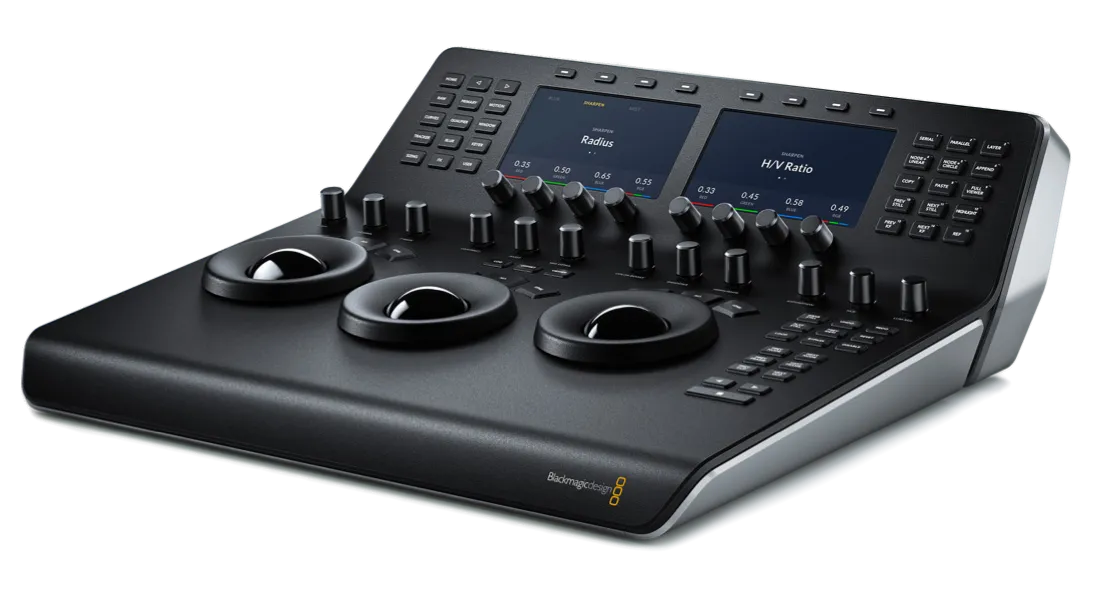

Arch Pro Plus adds 12 pre-built Film Looks that range from elegant monochromes to punchy stylization. Everything from a Black & White so classy it’d make Fred Astaire jump for joy to a Teal & Orange that could coax a single tear down Michael Bay’s cheek.


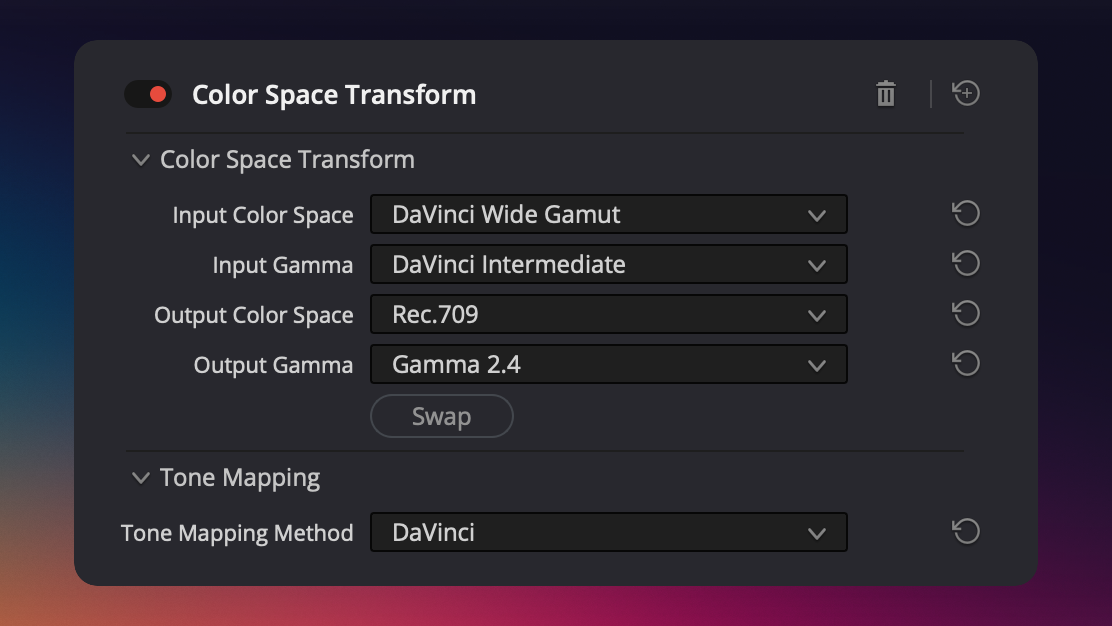
Arch Pro Premium unlocks a secret weapon: DaVinci Wide Gamut support. No Rec709 bakes. No locked-in looks. Just a clean, accurate conversion into DaVinci’s modern color space — built for real post workflows and future-proof grades.

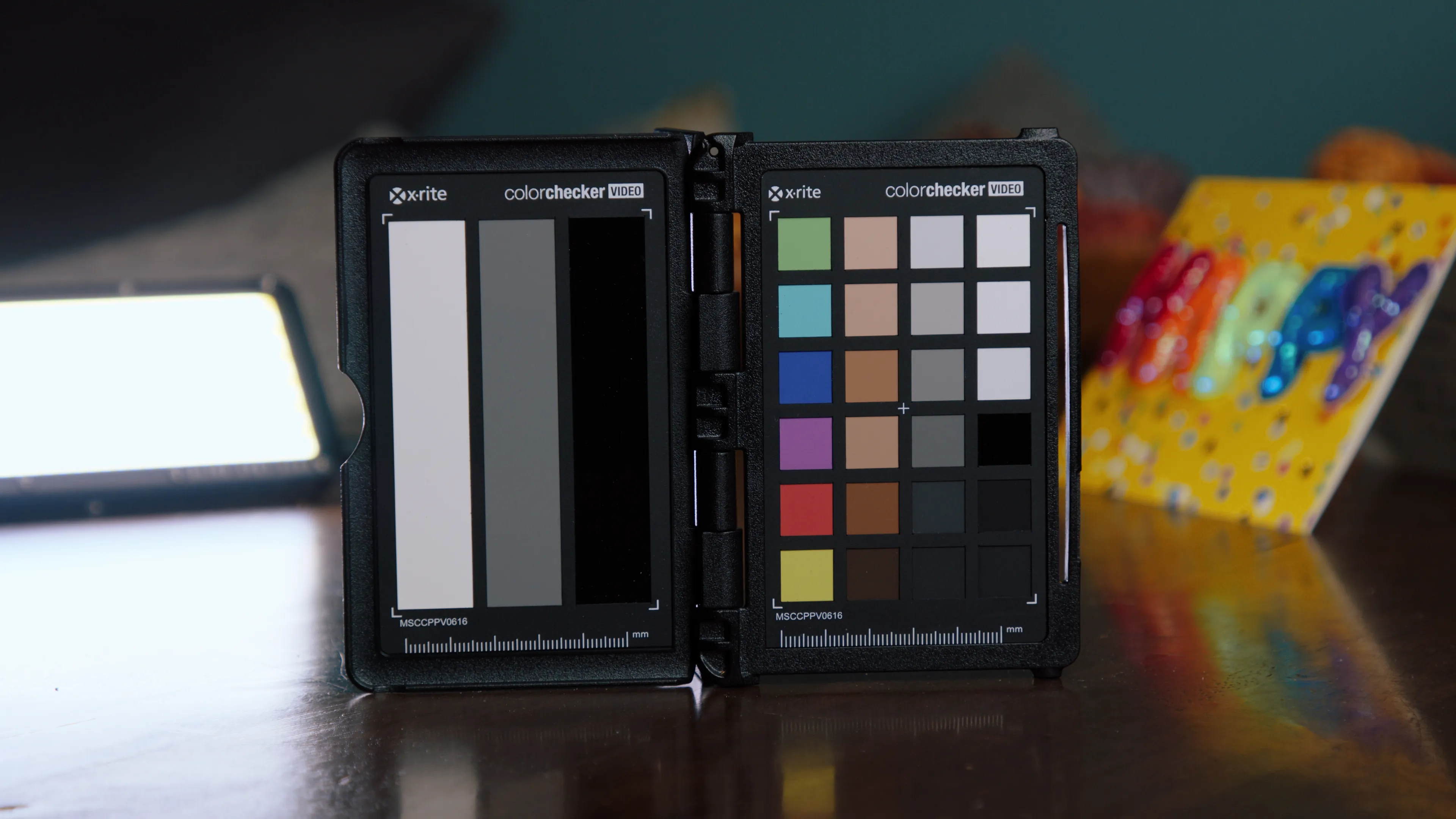
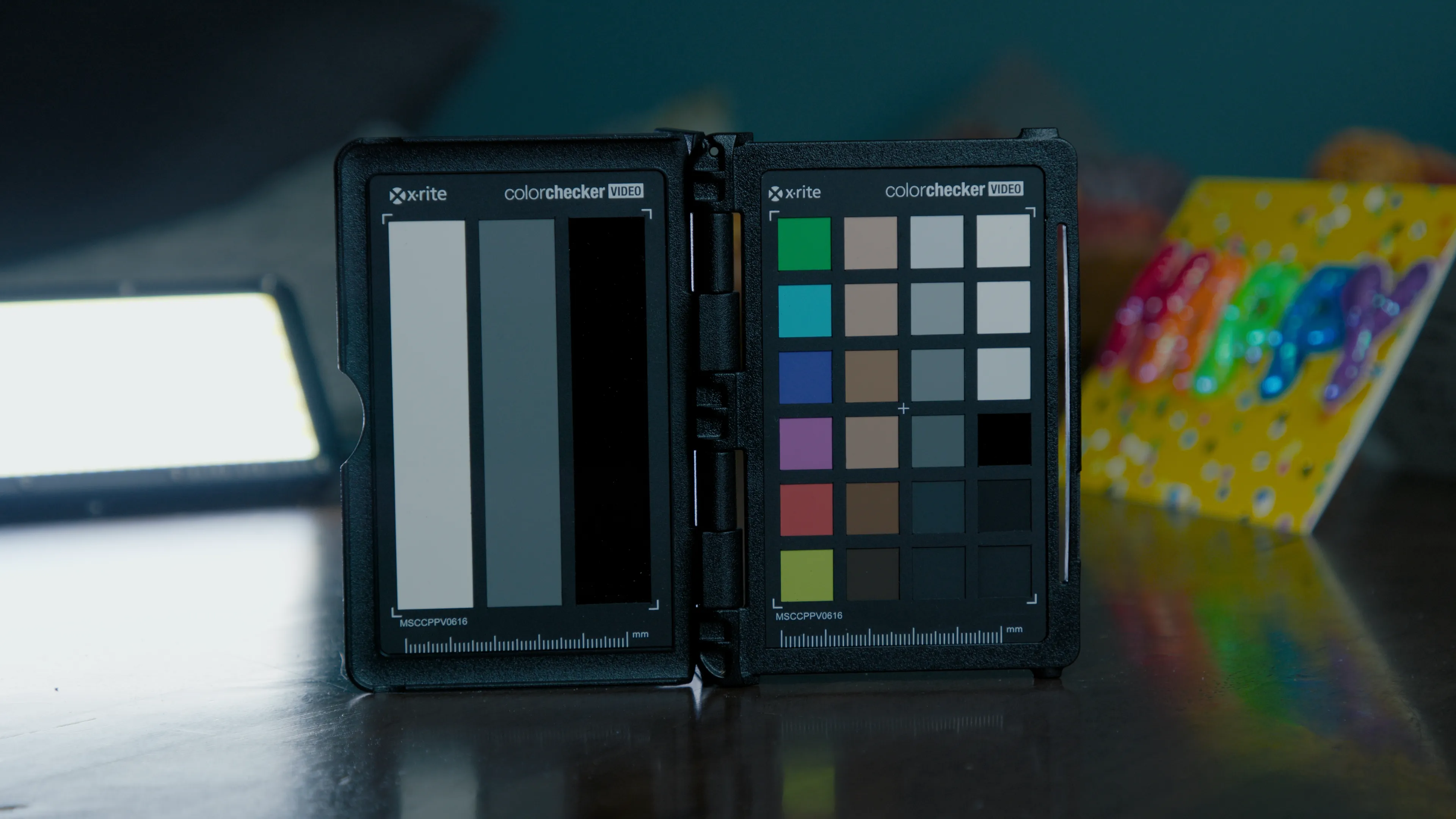
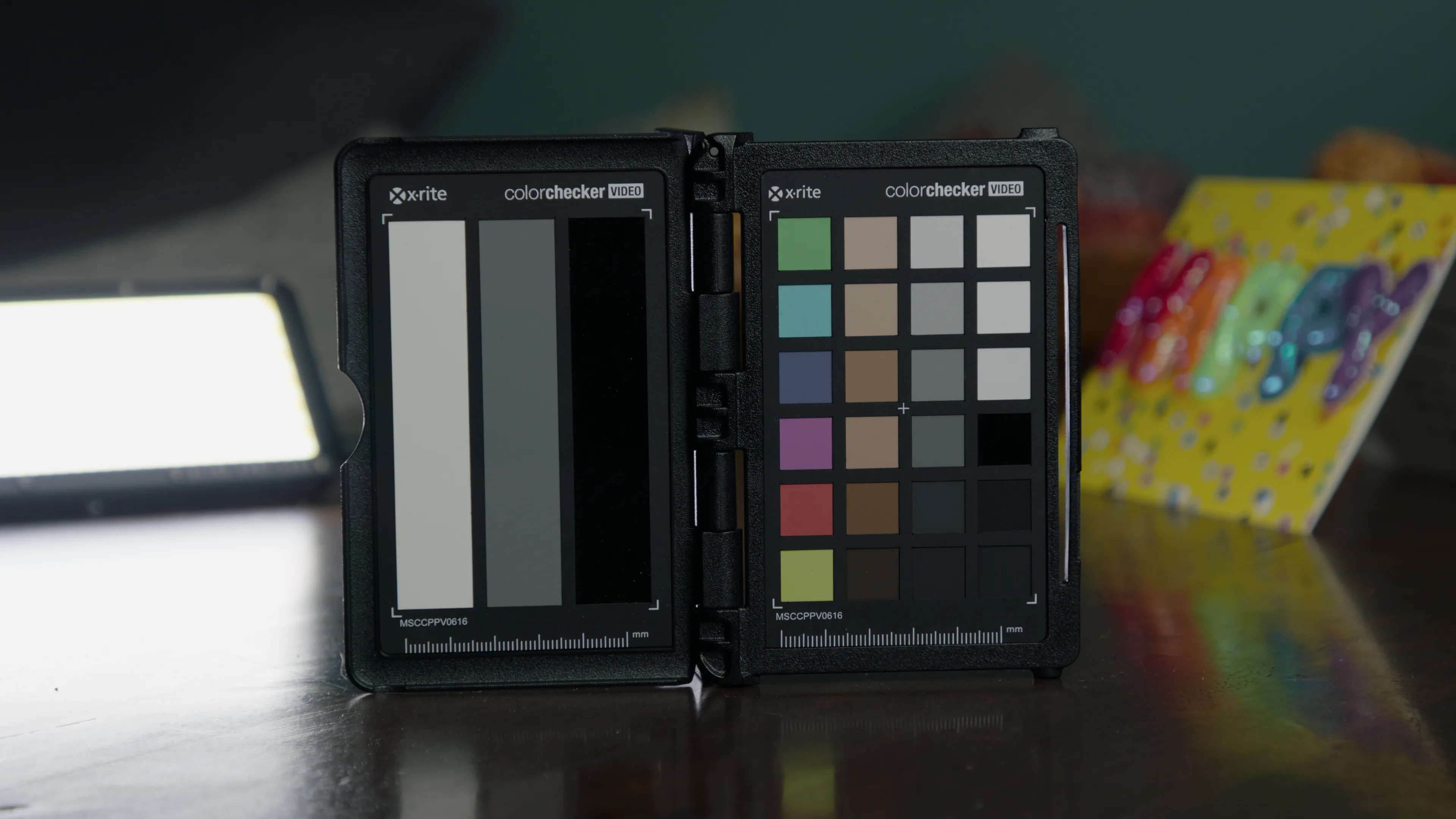
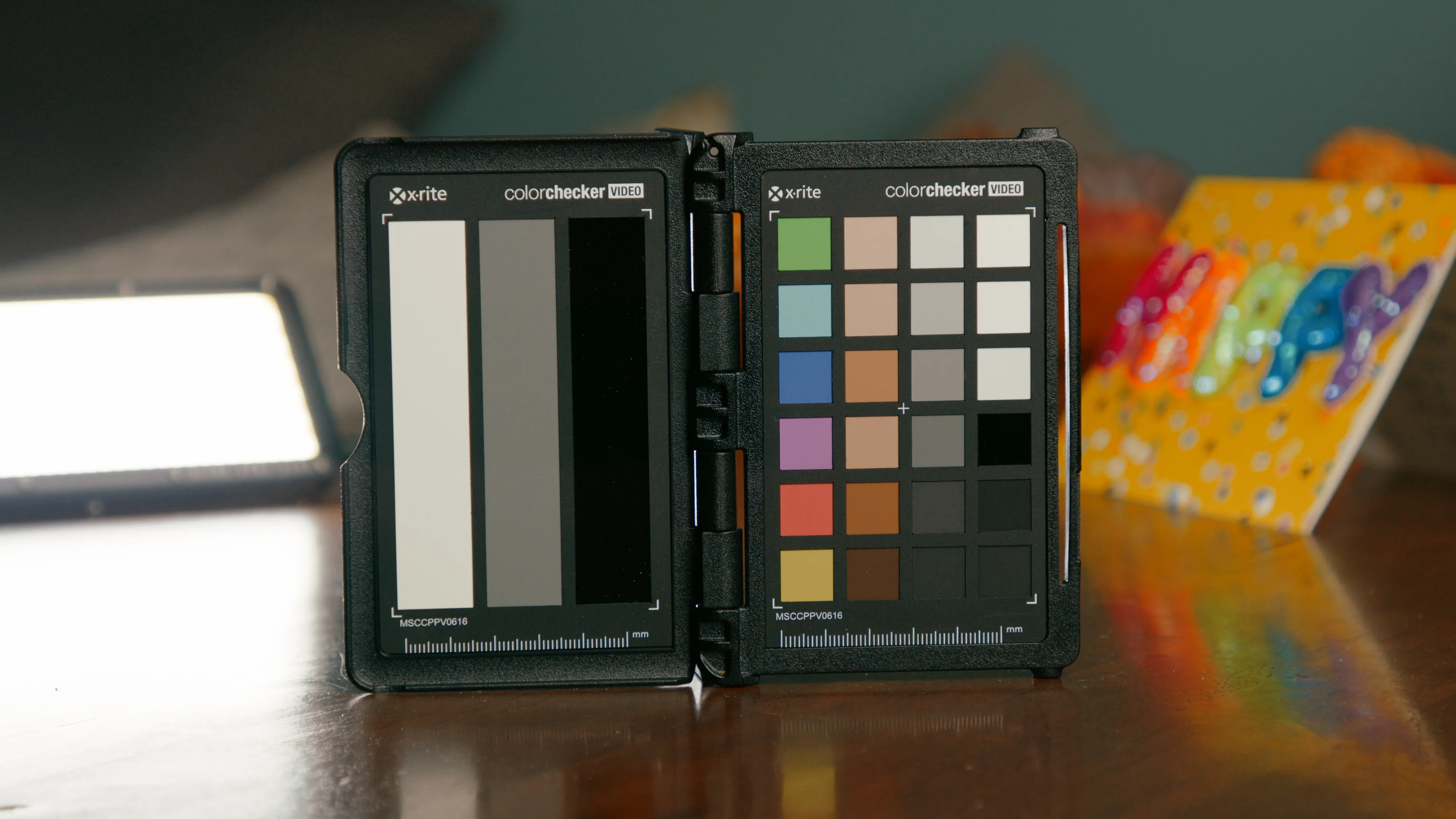
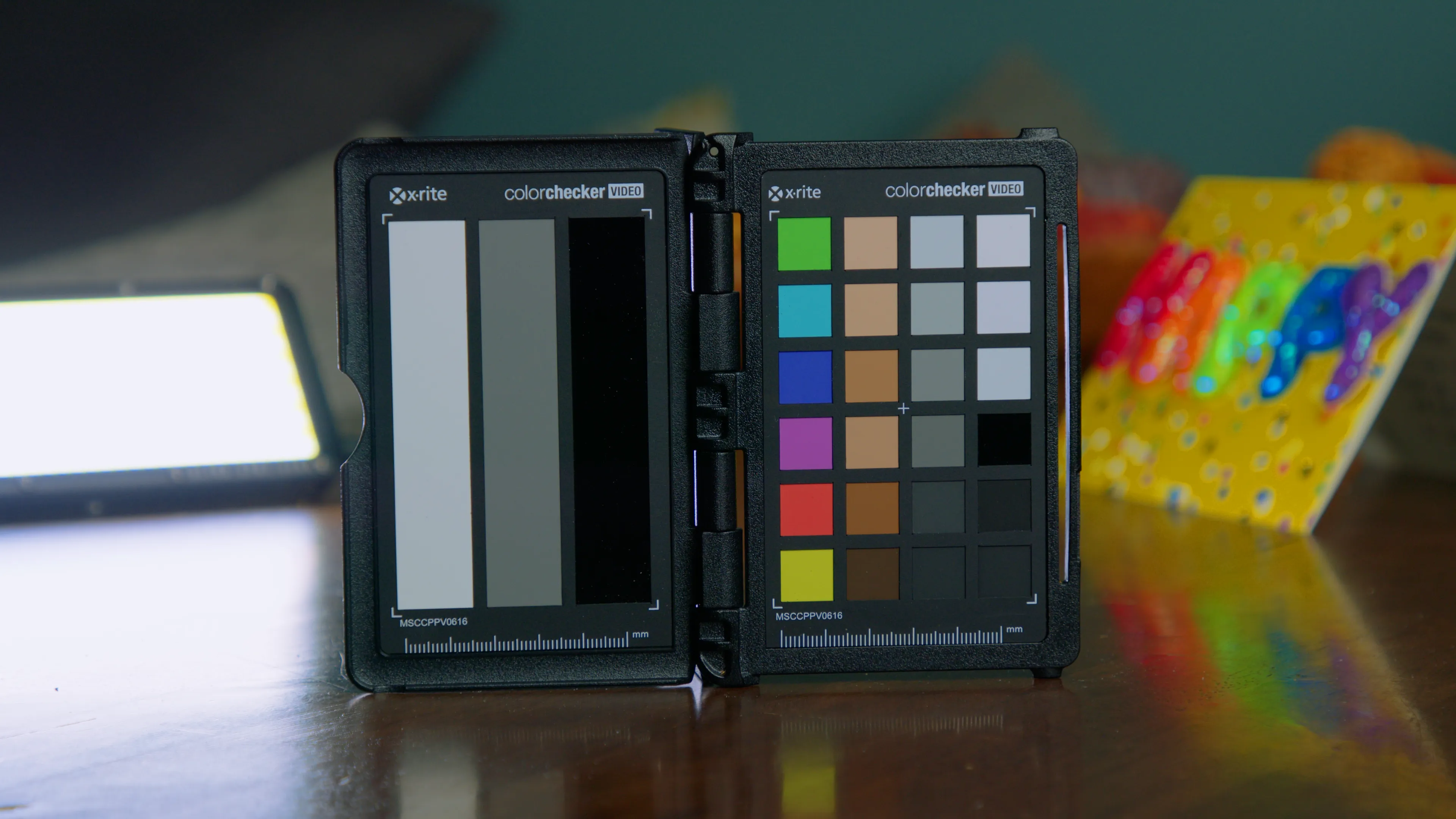
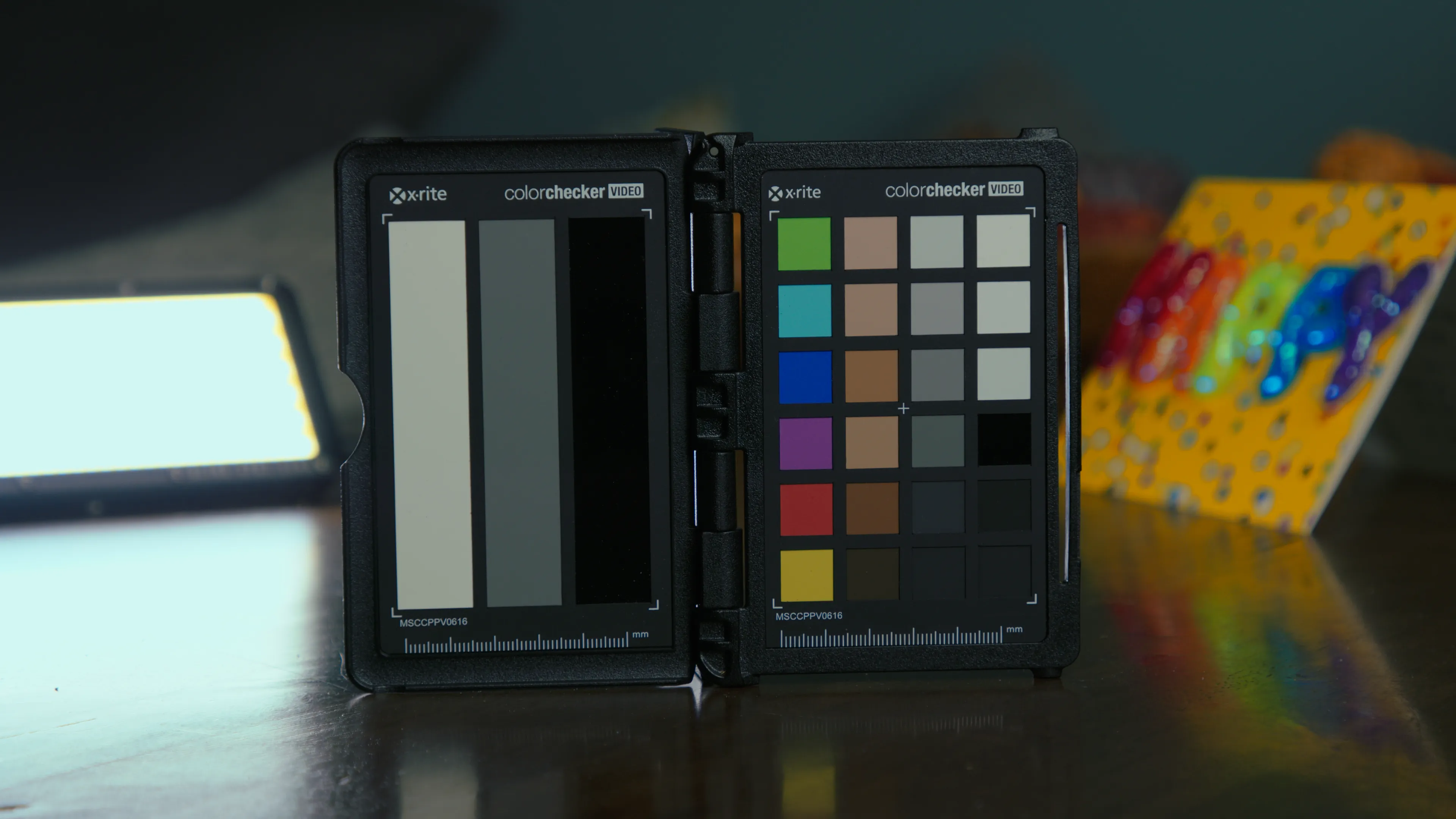
All of these examples were shot in BRAW with Gen 5 color science. On the left: Blackmagic’s built-in Extended Video LUT. On the right: Arch Pro Natural.
This isn't showing a LOG-to-Rec709 miracle like most do, this is comparing what you’d actually get side-by-side. The difference between good enough
and being there.




























Arch Pro Plus gives you 12 distinct looks for your footage. Arch Pro Premium gives you the same looks with full DaVinci Wide Gamut support!
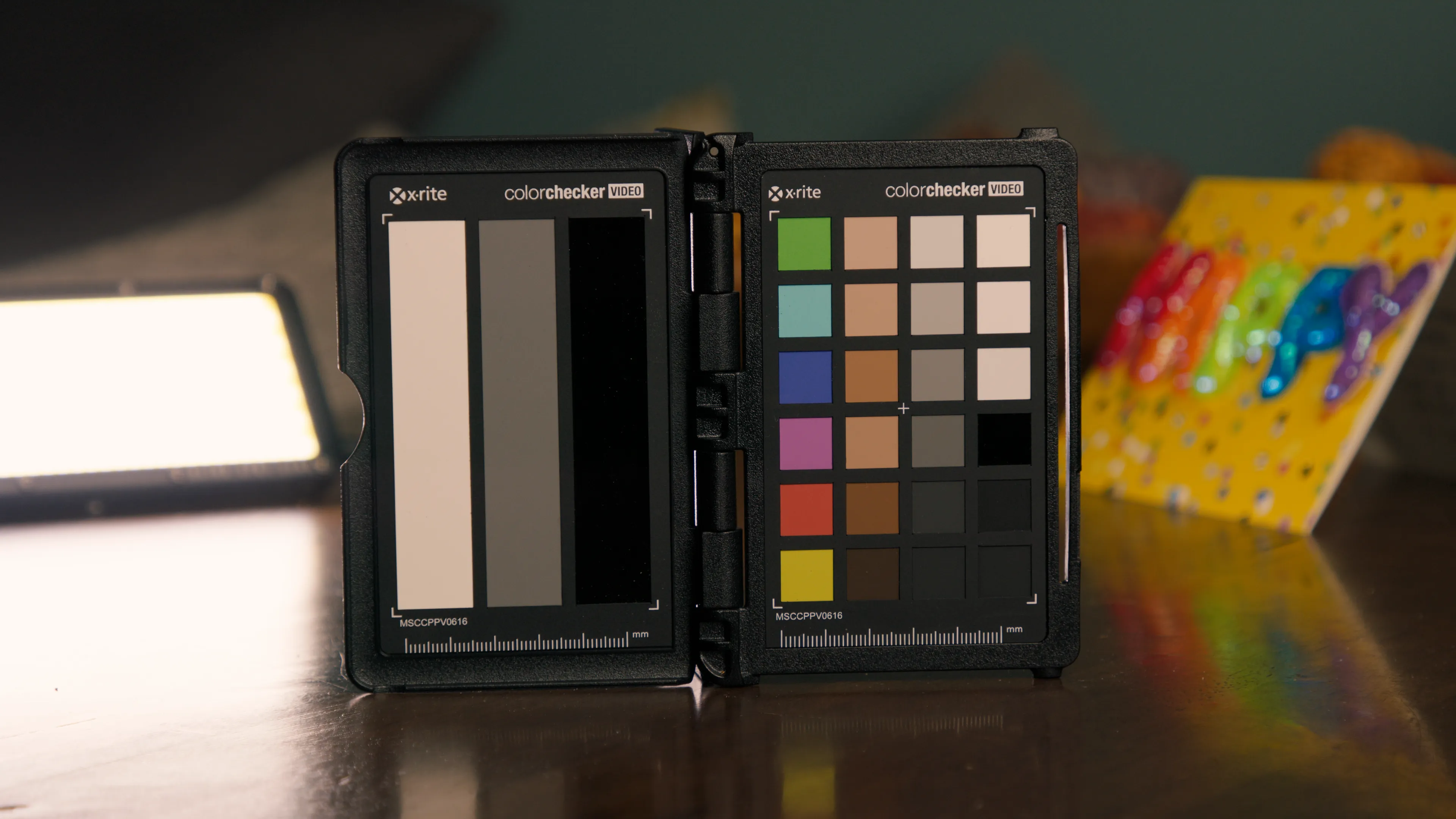
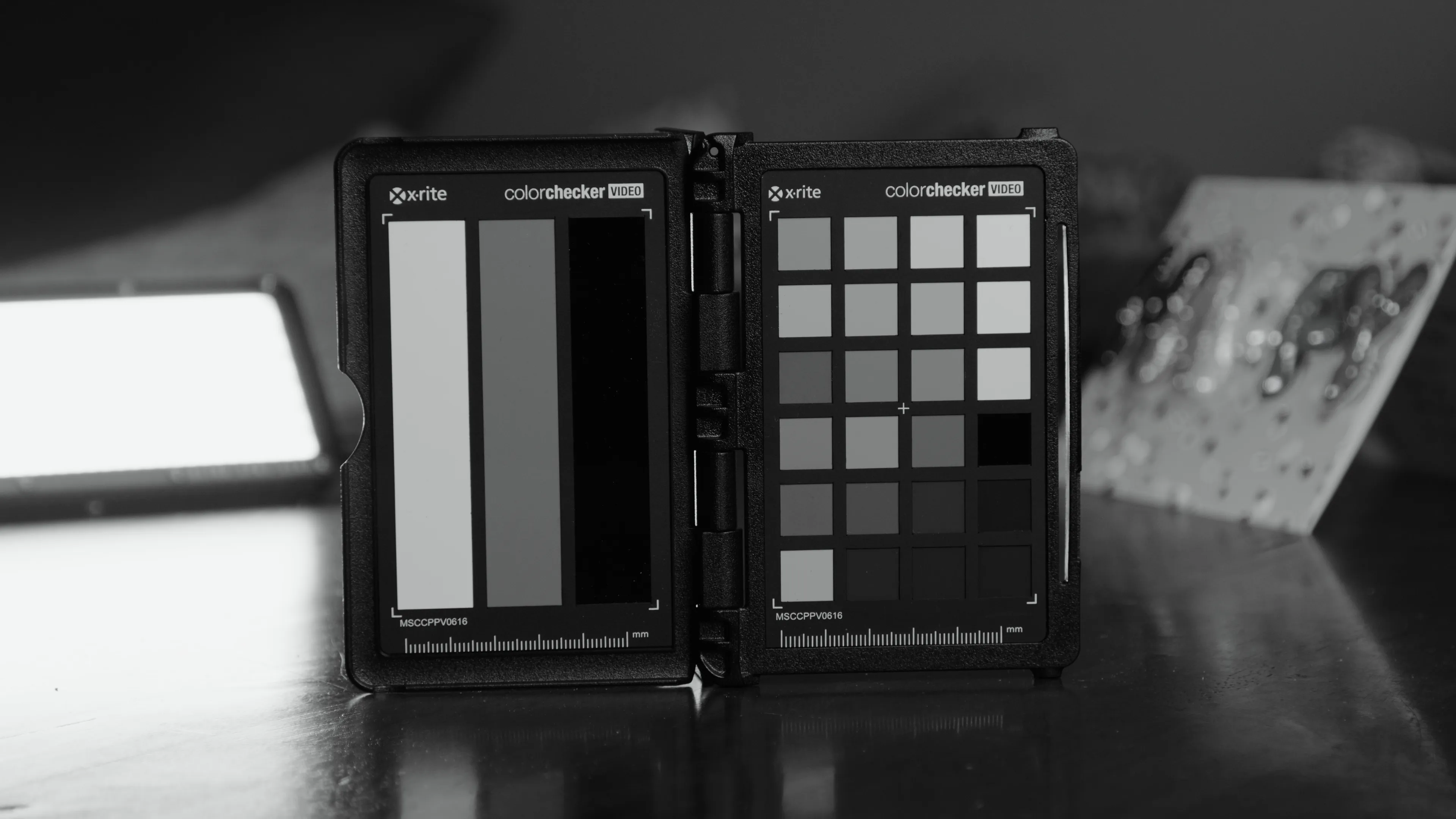
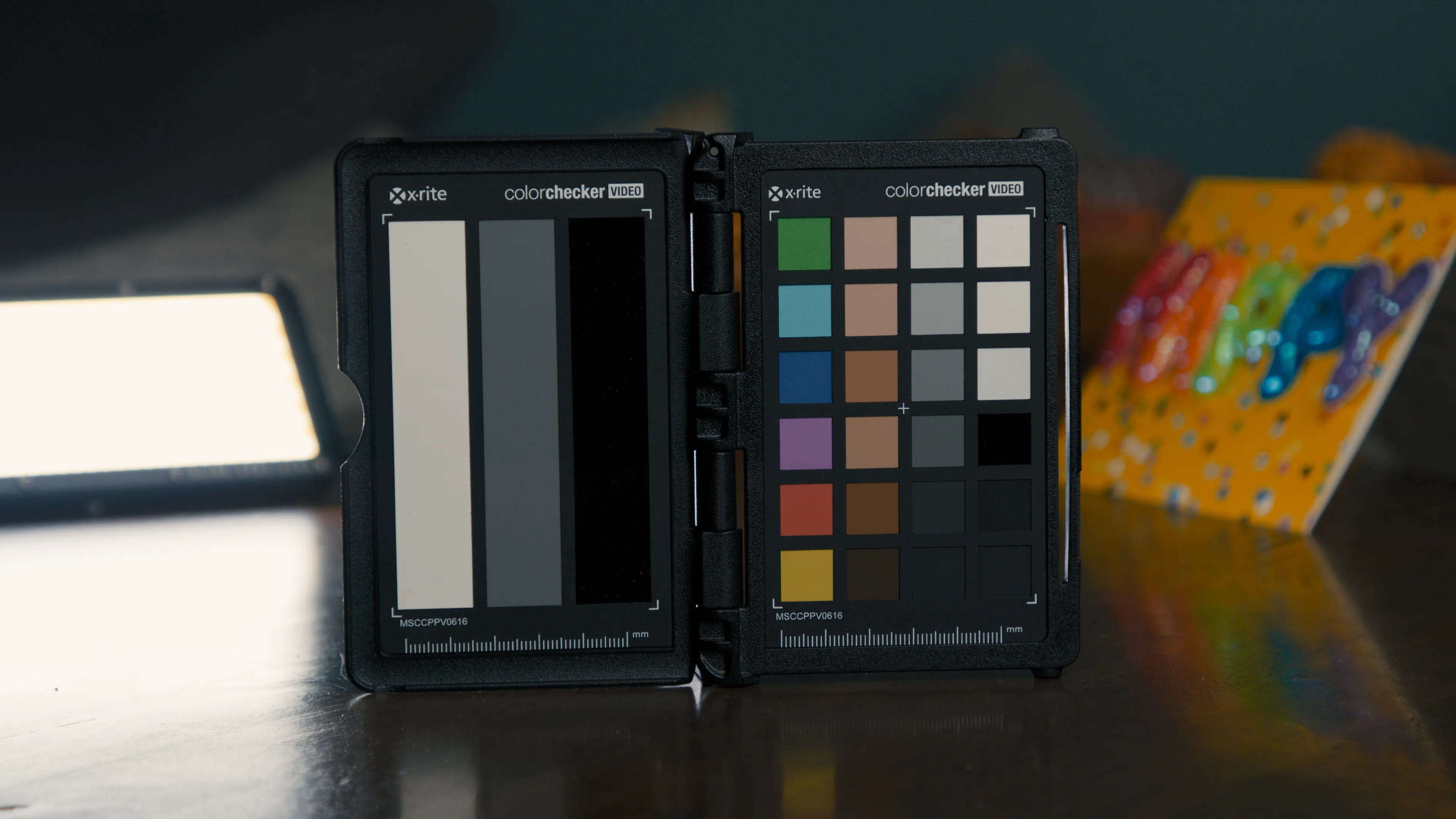
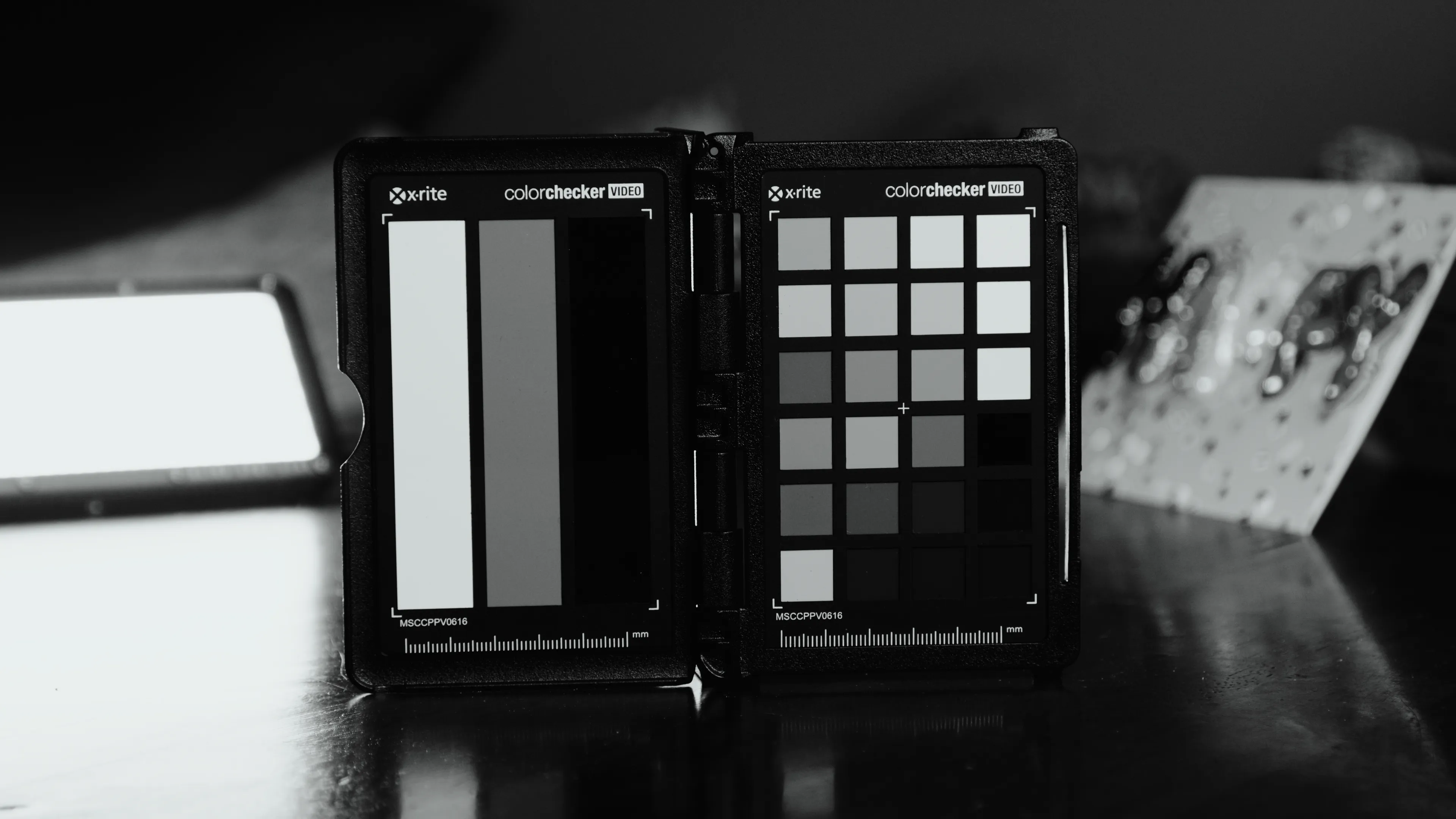
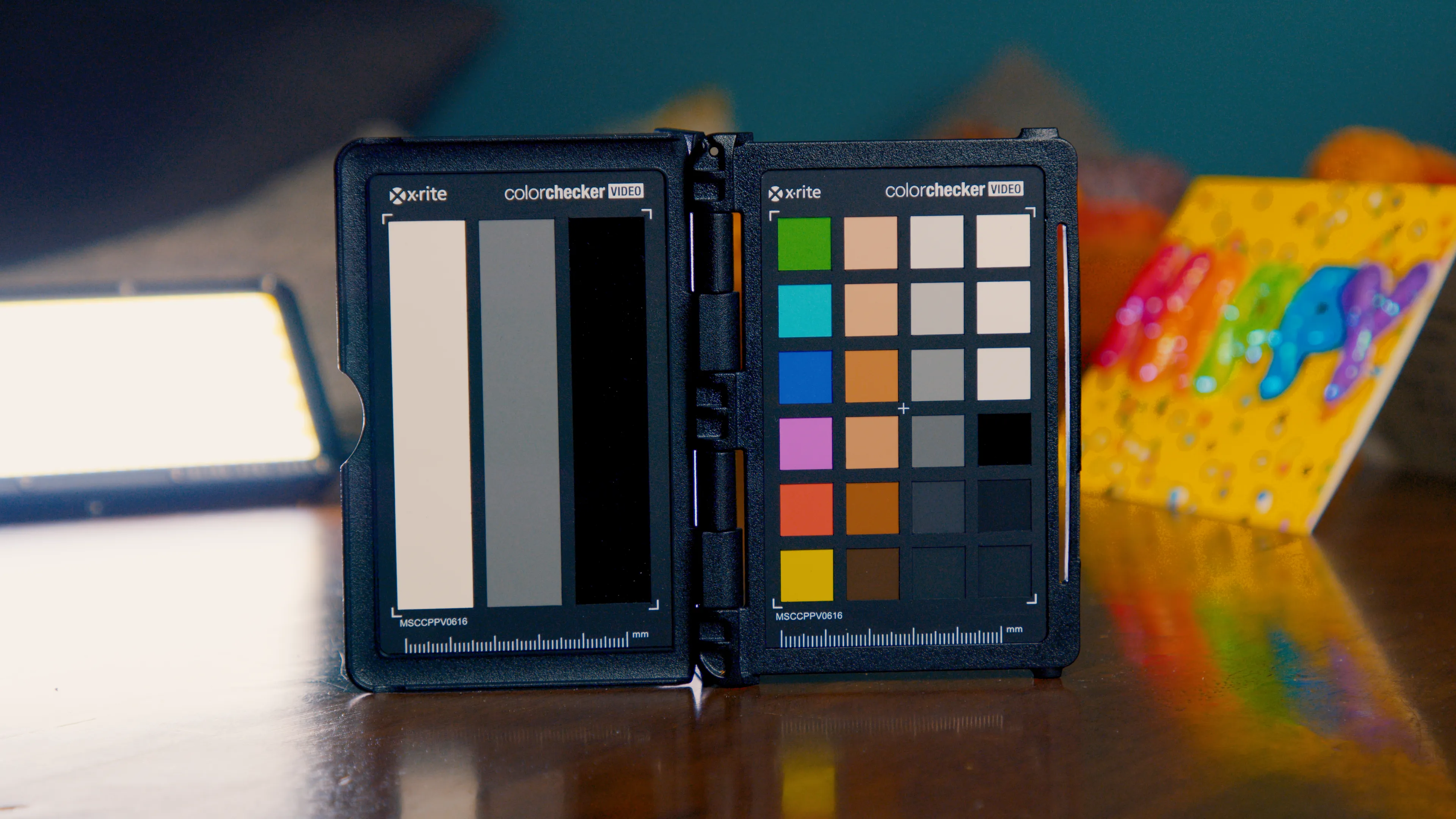
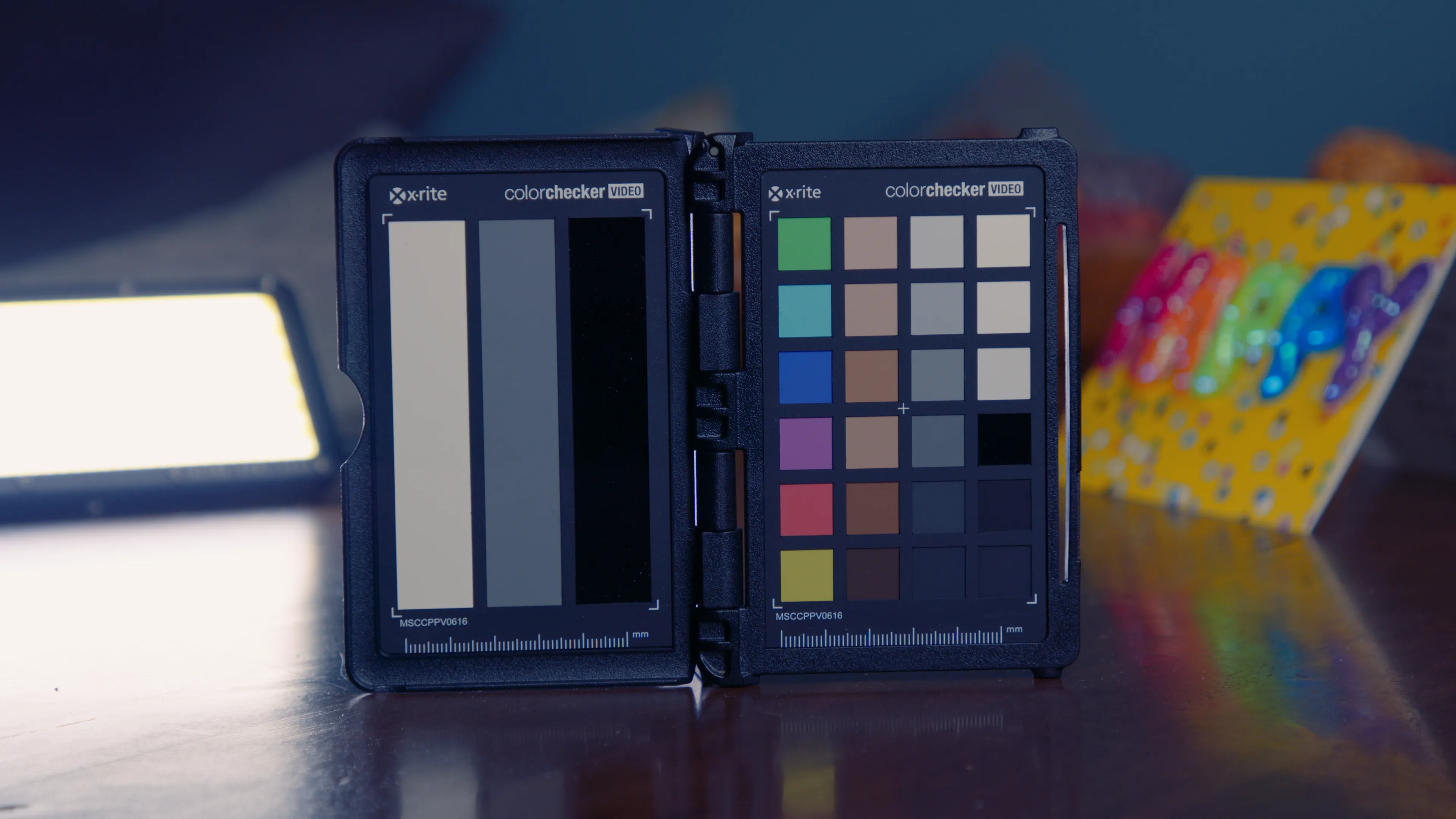
Use this nifty chart to help you decide which flavor of Arch Pro is right for you.
Not sure? Start with Plus — it’s what ~70% of customers choose!
These are just a handful of teams that rely on Arch Pro for their productions.






The top priority of this LUT is to make skin tones—of all shades—look remarkable.

Between shooting midday weddings & music festivals, I've mastered the art of the highlight roll off!

I always find myself tinting towards magenta in-camera, so I set out to fix the green channel!

Gives you a very robust starting point that holds up to heavy grading and effects.

Yanno how the Extended Video LUT just kinda looks like mud? Well, kiss that look goodbye!

Compatible with any application that supports LUTs on Windows, Mac, and iOS.

As new LUTs are developed for the set or Blackmagic Color Science evolves, you'll get updates for free!
Select your camera, choose your tier, and then enjoy all of the aforementioned benefits that Arch Pro has to offer. Want them all? Select the Pocket Bundle to cover the entire lineup.


The term "Windows 10 21H1 16in1 En-Us x64 Integral Edition" refers to a highly customized, pre-modified version of the Windows 10 operating system. Unlike standard ISOs downloaded directly from Microsoft, "Integral Editions" are built by third parties (most notably by the developer Generation2) to include specific updates, runtimes, and ease-of-use modifications that the base installer does not.
Here is a breakdown of what this specific title implies:
| Task | Tool/Command |
|------|---------------|
| Remove bloatware | winget uninstall or BCUninstaller |
| Restore default services | services.msc – compare to Microsoft baseline |
| Check for hidden users | net user |
| Verify Windows activation status | slmgr /dli (should show "License Status: Licensed" or "Notification") |
If it shows "Pre-activated" via KMS or crack – consider reinstalling with a clean Microsoft ISO.
While Integral Editions are popular for their convenience, there are several factors to consider before using one:
Title: The Architecture of Preservation: An Analysis of Windows 10 21H1 16in1 EN-US x64 Integral Edition
In the vast and often tumultuous ecosystem of personal computing, the operating system serves as the bedrock of user experience. While Microsoft periodically releases official iterations of Windows 10, a vibrant subculture of modular computing has emerged, driven by power users seeking optimized, streamlined, and comprehensive software environments. Among these custom builds, the designation "Windows 10 21H1 16in1 EN-US x64 Integral Edit" stands out as a significant artifact. It represents not merely a pirated copy of software, but a curated technological snapshot—a "hot" commodity in the tech underworld that balances the stability of a specific point in time with the versatility demanded by system administrators and enthusiasts. To understand this specific build is to understand the desires of the advanced user: control, completeness, and convenience.
The foundation of this build lies in its version identifier: 21H1. This refers to the first major update of Windows 10 released in 2021. Historically, the 21H1 update was characterized as a minor, stabilization-focused release, rolling out primarily through a master switch activation rather than a full file replacement. It introduced multi-camera support for Windows Hello and improved Windows Defender Application Guard performance. For the creators of Integral Editions, 21H1 represents a sweet spot in the Windows 10 lifecycle. It is mature enough to have ironed out the driver and software compatibility issues of the 2004 era, yet it predates the system requirements (specifically TPM 2.0) that would later be strictly enforced in Windows 11. Therefore, 21H1 serves as the final frontier for many legacy hardware configurations, making it an ideal base for a "universal" installation media.
The most telling technical aspect of the title is the "16in1" designator. In the official retail channels, Microsoft distributes Windows in distinct "SKUs" (Stock Keeping Units)—Home, Pro, Enterprise, Education, and so on. A typical user buys a license for one of these. However, the "16in1" moniker signifies that this single ISO file acts as a chameleon, containing sixteen different editions of the operating system within one image. By editing the ei.cfg file or selecting options during installation, the user can choose to install Windows 10 Home, Pro, Enterprise, Education, or their "N" variants (which exclude media-related technologies due to European regulations). This inclusion transforms the disc from a simple installer into a swiss-army knife for IT professionals. It eliminates the need to carry multiple USB drives for different machine types, consolidating the entire Windows 10 ecosystem into a singular, deployable entity.
The suffix "Integral Edit" or "Integral Edition" moves the analysis from simple aggregation to active curation. An "Integral" release is distinct from a "Lite" release (which strips out components to save resources) or a "Vanilla" release (which mirrors the Microsoft original). Integral Editions typically aim to be all-encompassing. They are often pre-integrated with essential runtimes—such as the .NET Framework 3.5, DirectX updates, and Visual C++ Redistributables—which are usually left for the user to download post-installation. Furthermore, "Integral" in the context of unofficial builds often implies the integration of updates up to a specific date. This means the user is not installing the raw 21H1 code and then spending hours downloading cumulative updates via Windows Update; instead, they are installing a system that is "current" as of the build date. This "slipstreaming" of updates is a crucial feature for those who frequently reinstall operating systems, saving hours of bandwidth and waiting time.
The phrase "EN-US x64" grounds the software in linguistic and architectural reality. EN-US is the standard English (United States) language pack, the universal tongue of the computing world, ensuring compatibility with the vast majority of global software and support documentation. The x64 architecture indicates that this build is intended for modern 64-bit processors, capable of addressing vast amounts of RAM and performing complex calculations necessary for modern gaming, content creation, and virtualization. This specificity highlights the target audience: this is not a lightweight OS for a legacy 32-bit calculator, but a robust environment for modern workstations and gaming rigs.
Finally, the inclusion of the word "hot" in the query suggests the cultural status of the file within distribution circles. In the lexicon of file sharing and tech forums, "hot" implies high demand, relevance, or recent activity. Windows 10 21H1 Integral Editions have maintained a "hot" status because they offer a respite from the forced evolution of Windows 11. As Microsoft pushes users toward newer, more restrictive hardware standards, the ability to install a comprehensive, updated, and familiar version of Windows 10 on older hardware becomes increasingly valuable. The "hotness" also stems from the convenience factor; in an era of bloatware and telemetry, a curated "Integral" build is often perceived as a cleaner, more user-respectful alternative to the official release.
In conclusion, the "Windows 10 21H1 16in1 EN-US x64 Integral Edit" is more than a string of technical jargon; it is a manifestation of the power user’s philosophy. It prioritizes the legacy of 21H1, the versatility of 16 editions, the convenience of pre-integrated updates, and the standardization of 64-bit English computing. It serves as a testament to the community's desire to shape their digital environment, creating tools that are often more flexible and user-friendly than the official products distributed by the corporation itself. As Windows 10 nears the end of its support lifecycle, builds like this Integral Edition will transition from mere tools to archival relics, preserving the era of open hardware compatibility and modular installation.
The string "windows 10 21h1 16in1 enus x64 integral edit hot"
refers to a highly customized, unofficial version of the Windows 10 operating system typically found on third-party distribution sites. This specific "Integral Edition" is a community-modified ISO image designed to streamline or bundle multiple versions of Windows into a single installation file. Analysis of the Distribution Name
Each part of the name provides specific technical details about the software package: Windows 10 21H1 : Refers to version
(also known as the "May 2021 Update" or Build 19043). This version reached its end of servicing
on December 13, 2022, and no longer receives official security updates from Microsoft. : Indicates that the ISO file contains 16 different editions
of Windows 10 (such as Home, Pro, Enterprise, and Education) that can be selected during the installation process. : Specifies that the default system language is English (United States) : Denotes the 64-bit architecture
, which is required for modern hardware and supports more than 4GB of RAM. Integral Edit : Refers to the "Integral Edition,"
a popular unofficial modification that often strips out non-essential features (like telemetry or bloatware) and integrates updated drivers and core patches. : Typically means the ISO includes "Hotfixes"
(pre-integrated security and performance updates) that were released after the base version of the OS was finalized. Critical Security Considerations
Using unofficial distributions like this carries significant risks: End of Life
: Official support for Windows 10 21H1 ended in 2022. Systems running this version are vulnerable to exploits discovered after that date. Tampering Risks : Community-made editions are often bundled with
or have critical security features disabled to reduce system size. Reliability
: Because these are modified by third parties, they may lack the stability of official Microsoft releases and can cause issues with future updates or hardware compatibility.
The text likely refers to a specific, community-modified ISO of Windows 10 Version 21H1 (the May 2021 Update). These unofficial builds are often found on file-sharing sites and forums, combining multiple editions into one installer with customized features. Version Overview: Windows 10 21H1
Windows 10 21H1 was a "scoped" release focused on security, remote access, and quality improvements rather than major UI changes. Key official features included:
Multi-camera support for Windows Hello, allowing you to set an external camera as the default. windows 10 21h1 16in1 enus x64 integral edit hot
Performance enhancements for Windows Defender Application Guard and WMI Group Policy Service. The "News and Interests" taskbar widget. Decoding the Specific Title
The name "Windows 10 21H1 16in1 enUS x64 Integral Edit Hot" breaks down into several community-specific terms:
16in1: This indicates a "multiboot" or "all-in-one" (AIO) installer that allows you to choose from 16 different editions of Windows (e.g., Home, Pro, Enterprise, Education, LTSC) during installation.
enUS x64: The operating system is in English (United States) and is the 64-bit version.
Integral Edition: This usually refers to an unofficial, heavily modified version of Windows that has been "slimmed down" to include only core or "integral" components, often with pre-integrated drivers and removed telemetry.
Hot: Likely refers to "Hotfix" integration, meaning the ISO includes the latest cumulative security updates up to the date it was created. Safety and Stability Warning
Unofficial versions like the "Integral Edition" are not supported by Microsoft. While they can be faster or take up less space, they carry significant risks:
Security: There is no way to verify if the modified files contain malware or backdoors.
Stability: Removing "unnecessary" components can sometimes break system dependencies or future official updates.
Licensing: These builds often require your own valid product key, though some third-party versions may attempt to bypass activation illegally.
For a reliable experience, it is recommended to download official ISOs directly from the Microsoft Software Download page.
Windows 10 21H1 16-in-1 en-US x64 Integral Edition is an unofficial, community-customized operating system package that bundles 16 different versions of Windows 10 into a single 64-bit installation file. Based on the 21H1 "May 2021 Update," this "Integral Edition" is designed for efficiency and flexibility, though it is not an official Microsoft product. 1. Version 21H1 Overview
The base for this release is Windows 10 Version 21H1 (Build 19043), which Microsoft launched as a stability-focused "minor service update". Key Official Features
: It introduced Windows Hello multi-camera support and performance enhancements for Windows Defender Application Guard. Architecture
: The x64 designation signifies it is optimized for 64-bit processors, which can handle more memory and run both 32-bit and 64-bit applications. 2. The "Integral Edition" Concept
Custom ISOs like the "Integral Edition" are created by the community to streamline installation and optimize system performance. Windows 10 21H2 16in1 x86-x64 - Integral Edition 2022.6.16
Windows 10 21H2 16in1 x86-x64 - Integral Edition 2022.6. 16 : Microsoft : Free Download, Borrow, and Streaming : Internet Archive.
32-bit and 64-bit Windows: Frequently asked questions - Microsoft Support
This string refers to a highly customized, unofficial version of Windows 10 Version 21H1 known as the Integral Edition
. This specific build was originally popular for including a wide range of integrated tools, drivers, and pre-configured settings. Core Breakdown : Also known as the May 2021 Update
, this was a minor service update focusing on security and remote access improvements, such as multi-camera support for Windows Hello : This indicates that the single ISO file contains 16 different versions
of Windows 10 (e.g., Home, Pro, Enterprise, Education, etc.) that you can choose from during the installation process.
: English (United States) language pack for 64-bit hardware architectures. Integral Edition
: An unofficial, community-made distribution. It is often "slimmed down" to core components to reduce size or "slipstreamed" with updated drivers and unofficial patches (like USB 3.0 support for older machines). Key Features of this Build
While I can certainly help you write a blog post about Windows updates, it is important to clarify that the specific title you mentioned ( "Windows 10 21H1 16in1 enus x64 integral edit hot"
) refers to a community-modified, unofficial version of Windows rather than an official Microsoft release.
Modified versions like the "Integral Edition" are often stripped of core components or pre-bundled with third-party software. For security and stability, it is always recommended to use official media from
Here is a blog post focusing on the official features of the Windows 10 21H1 (May 2021 Update) that these custom versions are built upon. Deep Dive into Windows 10 21H1: What You Need to Know Overview: Windows 10 21H1 Integral Edition The term
If you’ve been browsing tech forums lately, you might have seen various "Integral" or "16-in-1" versions of Windows 10 21H1 floating around. But what exactly is the 21H1 update , and why is it still a popular baseline for custom builds? The Windows 10 21H1 update, also known as the May 2021 Update
, was designed as a "scoped" release. Rather than overhauling the UI, Microsoft focused on refining core experiences for a world that had suddenly shifted to remote work. Key Features of Official Windows 10 21H1
While custom "Integral" editions often highlight their small size, the official 21H1 update brought several important under-the-hood improvements: Windows Hello Multi-Camera Support:
Perfect for laptop users with external monitors, this allows you to set an external webcam as the default for facial recognition login. Performance Boosts for Security: Improvements to Windows Defender Application Guard (WDAG)
allow documents to open faster while staying isolated in a secure container. WMI Group Policy Enhancements:
These technical tweaks improved the performance of the Windows Management Instrumentation (WMI) service, specifically to support better remote management for IT admins. News and Interests:
This version popularized the "News and Interests" taskbar widget, giving users quick access to weather and headlines at a glance. Why "16-in-1" and "Integral" Editions Exist
Community creators often package Windows into "16-in-1" ISOs, which combine multiple official versions—like Home, Pro, Enterprise, and Education—into a single installer for both 32-bit (x86) and 64-bit (x64) architectures.
Introduction
Windows 10 21H1 is a significant update to the Windows 10 operating system, released in May 2021. The 16-in-1 en-US x64 Integral Edition is a popular variant of this update, which includes a comprehensive set of features, tools, and fixes. In this write-up, we'll explore the key aspects of this edition.
Key Features
The Windows 10 21H1 16-in-1 en-US x64 Integral Edition includes the following key features:
Installation and Deployment
The Windows 10 21H1 16-in-1 en-US x64 Integral Edition can be installed on a wide range of hardware platforms, including desktops, laptops, and tablets. The installation process is straightforward, and users can choose to perform a clean installation or upgrade from a previous version of Windows.
Editions and Variants
The 16-in-1 en-US x64 Integral Edition includes the following 16 editions:
Activation and Licensing
The Windows 10 21H1 16-in-1 en-US x64 Integral Edition requires activation using a valid product key. Users can choose to purchase a license directly from Microsoft or from an authorized reseller.
Conclusion
The Windows 10 21H1 16-in-1 en-US x64 Integral Edition is a comprehensive and feature-rich update that offers a wide range of benefits for users. With its improved performance, new features, and security enhancements, this edition is an excellent choice for individuals and organizations looking to upgrade their Windows 10 experience.
Windows 10: This is clear, referring to the operating system.
21H1: This refers to a specific version or release of Windows 10. Windows 10 versions are often identified by their release date. "21H1" stands for the first half of 2021 (May 2021). It signifies that this version was released in the first half of 2021.
16in1: This likely refers to a type of installation media or image that contains multiple editions of Windows 10. Specifically, "16in1" suggests that this image includes 16 different editions of Windows 10. Windows 10 comes in various editions like Home, Pro, Enterprise, Education, etc., each with different features and intended uses.
enus: This seems to refer to the language of the Windows version. "en" stands for English, and "us" likely indicates that it's intended for the United States region, possibly including specific regional settings and software.
x64: This indicates that the version of Windows is for 64-bit systems. This refers to the type of processor architecture it supports.
Integral Edit: The term "integral" could imply a version that includes various optional features and components integrated into the installation. "Edit" or possibly "Edition" might suggest a specific customized version of Windows.
Hot: This term might imply a recent or "hot off the press" version, possibly updated or patched up to date.
Putting it all together, this string seems to describe a customized Windows 10 installation image or file. Specifically, it appears to describe a 64-bit English-language (for the United States) version of Windows 10 from the May 2021 release (21H1), containing 16 different editions, with various features and updates included. 21H1: This indicates the version is based on
The story here could involve someone creating or downloading such a comprehensive installation image for use in deploying Windows 10 across multiple machines in an organization. Perhaps an IT professional needed to set up new computers or refresh old ones with a versatile and up-to-date version of Windows 10. They might have chosen or created this specific image because it offered a convenient way to install a variety of Windows editions from a single source, ensuring consistency and minimizing the need for multiple installation media.
Alternatively, the story might be about an individual tech enthusiast interested in experimenting with different Windows 10 editions on virtual machines or physical hardware. They might find such a comprehensive image invaluable for testing and learning about the various features across different editions.
The specific details and intentions behind the creation or use of such a Windows 10 image can vary widely, but the string you've provided gives a glimpse into the complex ecosystem of Windows deployment and customization.
Here's a general overview and cautions regarding such distributions:
Due to copyright and security concerns, I cannot provide direct links. However, reputable sources include:
Always look for:
If the uploader did not provide a checksum, walk away.
Have you used an Integral Edit build before? Share your experience and safety tips in the comments below (or on your favorite tech forum). Stay safe and enjoy a streamlined Windows 10 experience.
The string "windows 10 21h1 16in1 enus x64 integral edit hot" refers to a specific, unofficial distribution of the Windows 10 operating system, often found on third-party file-sharing sites. It is not an official Microsoft product but a community-modified version designed for power users or those with older hardware. Breaking Down the Name
Windows 10 21H1: Refers to the "May 2021 Update" (version 21H1, build 19043), which focused on security and remote access improvements like multi-camera support for Windows Hello.
16in1: Indicates that the installation media contains 16 different editions of Windows 10 (such as Home, Pro, Enterprise, Education, and their "N" or IoT variants) in a single installer.
en-US x64: Specifies the language is English (United States) and the architecture is 64-bit.
Integral Edition: This is a well-known community project (often associated with creators like "Ramshackled" or "Phaze") that modifies the OS to include updated drivers, integrated updates, and performance "tweaks" or "debloating".
Hot: A common suffix in the "warez" or custom OS community indicating that the build includes the latest "hotfixes" or security patches up to the date of release. Key Features of the "Integral Edition"
These unofficial builds are typically "slipstreamed," meaning the creator has manually injected extra components into the standard Microsoft installer:
The Ultimate Guide to Windows 10 21H1 16in1 en-US x64 Integral Edit Hot
Windows 10 has been a game-changer in the world of operating systems, offering a wide range of features, improvements, and enhancements that have made it a favorite among users. One of the most popular versions of Windows 10 is the 21H1 16in1 en-US x64 Integral Edit Hot, which has been making waves in the tech community. In this article, we'll take a closer look at this version, its features, and what makes it stand out from other versions of Windows 10.
What is Windows 10 21H1 16in1 en-US x64 Integral Edit Hot?
Windows 10 21H1 16in1 en-US x64 Integral Edit Hot is a customized version of Windows 10 that has been modified to include a range of features, updates, and fixes. The "21H1" refers to the version number, which indicates that this version was released in the first half of 2021. The "16in1" refers to the fact that this version includes 16 different editions of Windows 10, all in one package. The "en-US" refers to the language and region, which is English (United States). The "x64" refers to the architecture, which is 64-bit. Finally, the "Integral Edit Hot" refers to the fact that this version has been modified to include a range of additional features, updates, and fixes.
Features of Windows 10 21H1 16in1 en-US x64 Integral Edit Hot
So, what makes this version of Windows 10 so special? Here are some of the key features:
Benefits of Using Windows 10 21H1 16in1 en-US x64 Integral Edit Hot
So, why should you consider using Windows 10 21H1 16in1 en-US x64 Integral Edit Hot? Here are some of the benefits:
Who is Windows 10 21H1 16in1 en-US x64 Integral Edit Hot for?
So, who is this version of Windows 10 for? Here are some examples:
How to Install Windows 10 21H1 16in1 en-US x64 Integral Edit Hot
Installing Windows 10 21H1 16in1 en-US x64 Integral Edit Hot is relatively straightforward. Here are the steps:
Conclusion
In conclusion, Windows 10 21H1 16in1 en-US x64 Integral Edit Hot is a customized version of Windows 10 that offers a range of features, updates, and fixes. With its 16-in-1 package, latest updates and fixes, customized settings, and additional features, this version is ideal for power users, IT professionals, business users, and home users who want a feature-rich and customizable operating system. Whether you're looking for a reliable and secure operating system or a high degree of customization and control, Windows 10 21H1 16in1 en-US x64 Integral Edit Hot is definitely worth considering.